Key Takeaways
- Pay traffic fines online via Parivahan or state-specific portals like Mahachallan, Delhi Police, and TSPolice.
- Standard statutory compounding window across most states is 60 days before court escalation.
- Unpaid fines after 60 days transfer automatically to Virtual Courts (vcourts.gov.in) for judicial disposal.
- Third-party UPI apps support compoundable fines but cannot clear notices already sent to court.
- Ignoring pending challans leads to vehicle registration blacklisting on the central Vahan database.
To pay traffic fine online in India, check whether your violation is recorded on the central MoRTH Parivahan portal or on an independent state police platform. You can quickly verify pending penalties using our e-challan status search, select the compoundable notice, and clear the fine via UPI, net banking, or debit card before it reaches virtual courts.
| Feature | Central Parivahan Portal | State Traffic Portals | Virtual Courts (vcourts.gov.in) |
|---|
| Coverage | Pan-India National Highways & participating states | Maharashtra, Delhi, Telangana, Karnataka, Kerala | Unpaid challans transferred from police databases |
| Payment Window | Usually within 60 days of issue | Usually 45 to 60 days of issue | Post-compounding judicial phase |
| Payment Modes | UPI, Net Banking, Debit/Credit Card | UPI, QR code, Net Banking, Wallets | ePay (UPI, Cards, Net Banking) |
| Key Requirement | Vehicle No. + Chassis/Engine (last 5 digits) | Vehicle No. + Engine/Chassis (last 4 digits) or OTP | Mobile No., Challan No., or CNR Number |
Understanding India's Dual Traffic Fine Systems
Traffic enforcement in India operates under the Motor Vehicles Act, 1988, amended comprehensively by the Motor Vehicles (Amendment) Act, 2019. Section 136A of the amended Act legalized electronic enforcement using automated speed traps, CCTV cameras, and Automatic Number Plate Recognition (ANPR) systems.
The Ministry of Road Transport and Highways (MoRTH) introduced the "One Nation, One Challan" initiative with the National Informatics Centre (NIC) to unify traffic violations under central databases. However, state governments retain concurrent powers over motor vehicle administration and local police enforcement.
Because of this decentralized reality, high-density regions operate proprietary or parallel enforcement networks. While highway fines frequently sync to Parivahan, municipal traffic departments in Mumbai, Delhi, Hyderabad, and Bengaluru manage city surveillance on independent servers.
Warning: Always ensure you check both the central Parivahan platform and your local state police portal. Camera violations can take 24 to 72 hours to synchronize across regional databases.
Standard Traffic Fines Under the Motor Vehicles Act
The Motor Vehicles (Amendment) Act, 2019 revised baseline compounding fines substantially across India. State governments issue specific compounding notifications that adjust certain local penalties, but standard statutory baselines remain structured under federal law.
Certain serious offenses cannot be settled through standard roadside or online compounding mechanisms. Violations like driving under the influence under Section 185 require mandatory physical or virtual magistrate hearings.
| Violation Type | MV Act Section | Standard Fine Amount | Additional Legal Penalties |
|---|
| Driving without Driving Licence | Section 181 | ₹5,000 | Vehicle impoundment risk |
| Driving without Third-Party Insurance | Section 196 | ₹2,000 (1st offense) / ₹4,000 (subsequent) | Up to 3 months imprisonment |
| Driving without Valid PUC Certificate | Section 190(2) | Up to ₹10,000 | Up to 3 months imprisonment |
| Riding without Helmet (Rider/Pillion) | Section 194D | ₹1,000 | 3-month licence disqualification |
| Driving without Seatbelt | Section 194B | ₹1,000 | None |
| Over-Speeding (Light Motor Vehicle) | Section 182A | ₹1,000 – ₹2,000 | Licence impoundment for repeat offense |
| Jumping Red Light / Dangerous Driving | Section 184 | ₹1,000 – ₹5,000 | 6 to 12 months imprisonment |
| Drunk Driving (DUI) | Section 185 | ₹10,000 (1st) / ₹15,000 (subsequent) | Non-compoundable; court summons issued |
| Obstructing Emergency Vehicles | Section 194E | ₹10,000 | Up to 6 months imprisonment |
You can check the validity of your vehicle documents before traveling using our tools to verify RC details and check driving licence status to avoid avoidable roadside compounding fees.
Documents and Details Required Before You Pay
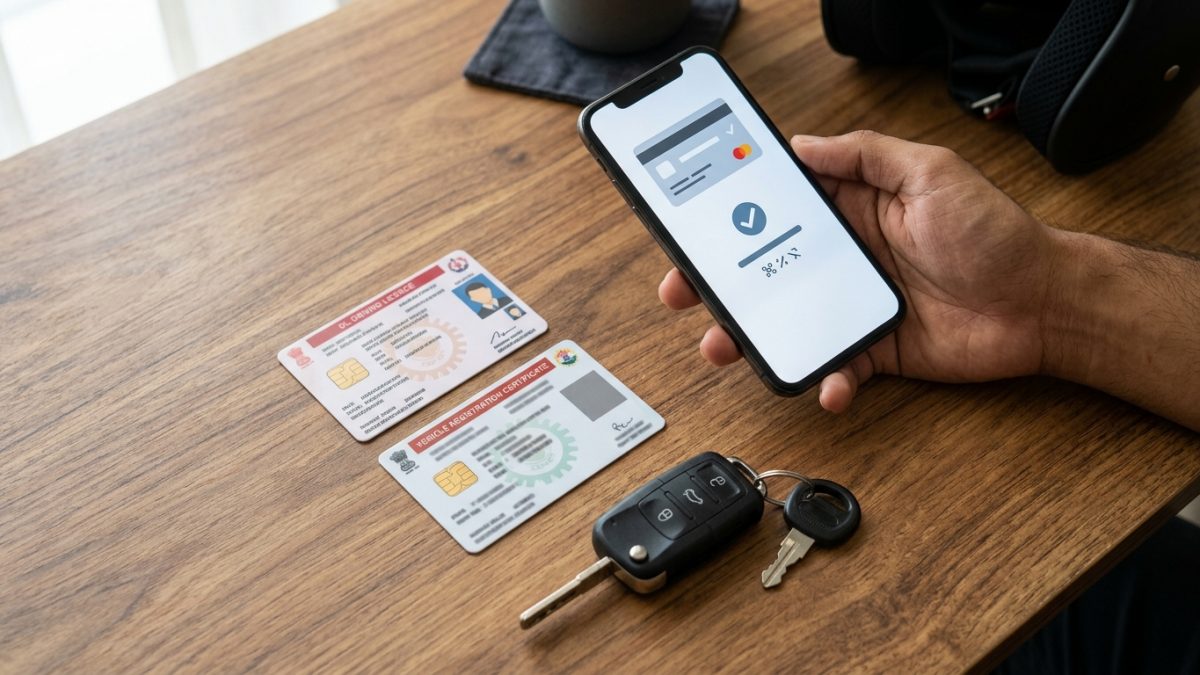
Government portals mandate strict verification standards before revealing violation photographs and payment options. These measures protect vehicle owners against unauthorized third-party snooping and fraudulent dispute submissions.
- Vehicle Registration Certificate (RC): Your exact registration number without spaces or special characters (for example, DL01AB1234).
- Engine and Chassis Numbers: The last 4 or 5 characters of your Chassis or Engine number, stamped on your RC smart card.
- Notice or Challan Number: The unique alphanumeric identification code received via official SMS alerts or physical receipts.
- Registered Mobile Number: The phone number linked to your registration record on the central Vahan database for receiving OTPs.
- Driving Licence Number: Required if the citation was issued in person by a traffic officer directly to the driver rather than via automated cameras.
Tip: If you receive a fine notice via text message containing an unknown short link, verify it independently to avoid phishing scams outlined in our guide to fake challan SMS verification.
How to Pay Traffic Fine Online on Central Parivahan Portal

The central MoRTH e-Challan portal handles enforcement citations across most national highway stretches and integrated states. To complete an e challan payment by vehicle number, follow these official steps on the central server:
- Visit the official portal: Open your browser and navigate to the official Parivahan e-Challan portal at echallan.parivahan.gov.in.
- Open challan status: Click on Check Online Services from the top navigation bar and select Check Challan Status.
- Enter vehicle credentials: Select the search option for Vehicle Number, enter your registration number, and input the last 5 characters of your Chassis Number or Engine Number.
- Solve security captcha: Enter the displayed captcha characters accurately and click on Get Details.
- Inspect pending notices: Review the list of violations displaying date, time, enforcement location, violation code, and digital camera evidence.
- Initiate payment: Click the Pay Now button next to the unpaid violation and complete mobile OTP verification sent to your Vahan-registered number.
- Select payment gateway: Choose your preferred payment aggregator (such as SBI ePay or Bharatkosh) and finalize payment using UPI, Net Banking, or Debit Card.
- Save confirmation: Download and store the digital transaction receipt and the official disposal slip for your records.
Pay Traffic Fine Online State Wise: Dedicated State Police Portals
Several states process traffic penalties through independent traffic police platforms. If your citation does not appear on Parivahan, you must access the specific traffic fine payment online portals established by your state's home department.
Maharashtra: Mahachallan System
Maharashtra operates a dedicated platform covering Mumbai, Pune, Thane, and Highway Safety Patrol jurisdictions. For mahachallan traffic fine payment, use the following procedure:
- Access the state portal: Go directly to mahatrafficechallan.gov.in or open the official MahaTraffic mobile application.
- Select search criterion: Choose either Vehicle No. or Challan No.
- Input identification: Enter your full vehicle registration number along with the last 4 characters of your Engine or Chassis number.
- Review compounding notices: View the detailed camera snapshots, location map, and compounding fees.
- Complete online settlement: Click on the payment gateway, choose UPI, debit card, or net banking, and download your clearance receipt.
Delhi: Delhi Traffic Police Notice Branch
The Delhi Traffic Police enforcement network manages hundreds of automated Over Speed Violation Detection (OSVD) and Red Light Violation Detection (RLVD) cameras across the National Capital Territory. To process a delhi traffic police pending notice pay request:
- Navigate to enforcement portal: Visit traffic.delhipolice.gov.in and select the Pending Challans/Notices section.
- Enter notice credentials: Search using your Vehicle Number or specific Notice Number.
- Authenticate via OTP: Complete the captcha and verify your identity through the OTP sent to your registered mobile phone.
- Verify case status: Review the automated camera photographic proof. If the status is compoundable, click Pay Now to clear the amount via the integrated payment gateway.
- Check court status: If the notice shows "Sent to Virtual Court", payment is disabled on the Delhi Police server and must be cleared on vcourts.gov.in.
Telangana: TSPolice e-Challan Portal
Telangana operates one of the oldest standalone automated enforcement networks covering Hyderabad, Cyberabad, Rachakonda, and all district commissionerates. To execute a telangana traffic fine pay online settlement:
- Visit the official portal: Open echallan.tspolice.gov.in.
- Submit vehicle details: Enter your vehicle registration number and answer the simple mathematical security captcha.
- Select pending citations: View the complete log of offenses alongside CCTV snapshot evidence and select one or multiple unpaid challans.
- Authorize digital payment: Enter your mobile number, select your payment channel (UPI, QR code, Net Banking, or TSOnline/APOnline), and complete the transaction. Cleared fines update immediately.
Karnataka: KSP and Bengaluru Traffic Police
Enforcement across Karnataka is split between Bengaluru Traffic Police (BTP) municipal systems and the Karnataka State Police (KSP). Drivers can settle dues on ksp.karnataka.gov.in, the Bengaluru Traffic Police portal, or the unified citizen platform at karnatakaone.gov.in by entering their registration number, choosing the enforcement district, and completing payment through the state treasury gateway.
Kerala and Andhra Pradesh
In Kerala, camera fines issued by the state police are hosted at payment.keralapolice.gov.in and within the official Pol-App, while Motor Vehicles Department (MVD) highway challans route directly through the central Parivahan database. In Andhra Pradesh, motorists can resolve citations through apechallan.org using their vehicle number and chassis credentials.
| State / Territory | Primary Official Enforcement Portal | Alternative Citizen Access Channel |
|---|
| Maharashtra | mahatrafficechallan.gov.in | MahaTraffic Mobile App (Android/iOS) |
| Delhi | traffic.delhipolice.gov.in | Delhi Police Citizen Portal / Virtual Court |
| Telangana | echallan.tspolice.gov.in | T-Challan Mobile App |
| Karnataka | ksp.karnataka.gov.in | karnatakaone.gov.in / BTP Portal |
| Kerala | payment.keralapolice.gov.in | Kerala Police Pol-App / echallan.parivahan.gov.in |
| Andhra Pradesh | apechallan.org | APOnline Citizen Centers |
| Tamil Nadu | echallan.parivahan.gov.in | Tamil Nadu e-Seva Centers |
Paying Traffic Fines via UPI Apps and BBPS
The National Payments Corporation of India (NPCI) has integrated traffic enforcement agencies into the Bharat Bill Payment System (BBPS) under the Challan category. This enables motorists to perform an online traffic police fine payment using common consumer apps such as Paytm, PhonePe, and Google Pay.
Major enforcement bodies currently integrated on BBPS include the Delhi Traffic Police, Maharashtra Police, Telangana Police, Bengaluru Traffic Police, Andhra Pradesh Police, and Uttar Pradesh Traffic Police. For a comprehensive walkthrough of third-party payment workflows, read our detailed guide on traffic challan payment via UPI apps.
- Open consumer app: Launch Paytm, PhonePe, or Google Pay on your smartphone.
- Navigate to bills: Locate the Recharge & Bills section and tap on Challan or Traffic Fine.
- Select billing authority: Choose your regional department (such as Maharashtra Traffic Police or Telangana Traffic Police).
- Fetch outstanding bills: Enter your vehicle registration number or challan notice number.
- Authorize UPI payment: Check the fetched fine amount and enter your UPI PIN to finalize payment.
Common Mistake: BBPS third-party apps can only settle compoundable pre-court notices. If a challan has been marked "Sent to Court", apps will return an error stating no pending dues exist.
How to Resolve Challans in Virtual Courts (vcourts.gov.in)
When an e-challan remains unpaid past its initial compounding period, the police department transfers the citation to the judiciary. The Virtual Courts system, operating at vcourts.gov.in under the Supreme Court of India and NIC, handles the online disposal of these petty traffic offenses.
- Access Virtual Courts: Go to vcourts.gov.in on your computer or mobile browser.
- Select jurisdiction: Choose your state and respective virtual court branch (such as Virtual Court Delhi or Virtual Court Maharashtra).
- Locate your case docket: Search by Mobile Number, Challan Number, Vehicle Number, or CNR Number.
- Examine judicial summons: Review the case details, the violation report, and the proposed penalty determined by the magistrate.
- Choose legal recourse: You can select Accept Guilt & Pay Fine to pay immediately via ePay using UPI or cards, Contest the Offense to transfer the matter to a physical court for trial, or Refer to Lok Adalat for compounding concessions.
Deadlines, Escalation Timelines, and Legal Penalties
Ignoring an e-challan triggers a statutory escalation process that moves from discounted online compounding to judicial summons and administrative blacklisting.
The standard compounding period across most Indian states is 60 days from the date of issue. In Delhi, unpaid automated camera notices are frequently transferred to the virtual court after 45 to 60 days.
- Day 0 to 60: The violation remains compoundable on Parivahan, state traffic portals, or BBPS UPI applications.
- Day 60+: The notice transfers to vcourts.gov.in. An electronic docket is created under a judicial magistrate, and digital summons are issued to your registered phone number.
- Day 90+: If virtual court summons are ignored, cases move to a jurisdictional regular court under Section 134/206 of the CrPC. Continued non-appearance can result in bailable or non-bailable warrants.
- Administrative Vahan Lock: The central Vahan database flags the vehicle as blacklisted. This blocks vehicle ownership transfers, NOC issuances, and fitness renewals as detailed in the new RTO rules for fitness and NOC.
- Roadside Impoundment: Enforcement officers can impound blacklisted vehicles during routine checks under Section 207 of the Motor Vehicles Act.
Deadline Note: National Lok Adalats, organized four times annually by NALSA across India, allow vehicle owners to resolve accumulated or disputed traffic challans with substantial compounding discounts.
Troubleshooting Failed Transactions and Wrong Notices
Payment glitches and camera errors are common when settling fines online. Knowing how to handle these situations prevents duplicate financial deductions and wrongful penalties.
Payment Debited but Challan Remains Pending
If your bank account or UPI balance is debited but the portal continues to mark the challan as pending, do not pay twice. Payment aggregators require 24 to 72 hours to reconcile settlement batches with state treasury servers.
Visit the Parivahan portal, navigate to Check Online Services, and select Check Pending Transaction to force a manual status check. If the transaction fails reconciliation after 7 days, the debited amount is automatically reversed to your source bank account.
Disputing an Incorrect or Cloned Plate Notice
Automated ANPR systems rely on Optical Character Recognition, which can misread dirty plates, custom typefaces, or defective characters. If you receive a notice for an offense you did not commit, never pay the fine, as payment constitutes an admission of legal guilt.
Visit the grievance section of the issuing state police portal or the central parivahan.gov.in grievance cell. Upload photos of your actual vehicle, a copy of your RC, and supporting evidence demonstrating that your vehicle was elsewhere during the recorded incident.
Always verify your outstanding traffic record via our e-challan status portal before paying, and consult our RTO office directory if you require in-person assistance from local transport authorities.
Conclusion
Knowing how to pay traffic fine online protects you from unexpected virtual court summons, vehicle blacklisting, and frozen RTO services. Whether your citations are recorded on the central Parivahan portal or handled independently by state police servers in Maharashtra, Delhi, or Telangana, settle your compounding dues within the 60-day statutory window.
Before you begin payment, run a quick check on your vehicle registration records to verify all pending violations, examine photographic evidence, and download your official disposal certificates immediately after settlement.