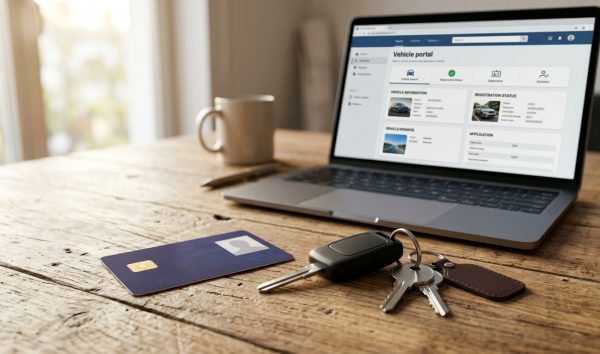
To check vehicle owner details by number plate online, visit the official Parivahan Sewa portal or open the mParivahan app, enter the vehicle registration number, and complete the verification. You can instantly inspect the vehicle's registration validity, insurance status, fuel type, registering RTO, and active bank hypothecation for free. You can also quickly check RC and vehicle owner details directly on VahanX before purchasing a used vehicle.
Key Takeaways
- Online vehicle searches display vehicle class, fuel norms, insurance validity, PUCC expiry, and hypothecation status.
- Under MoRTH privacy rules, owner names appear partially masked with asterisks to protect personal privacy.
- Checking basic RC details online on government portals is completely free of cost.
- Full unmasked RC records are accessible only to authenticated vehicle owners via DigiLocker or mParivahan.
- Vehicle data can also be queried via SMS by texting VAHAN to 7738299899.
| Feature | Parivahan Sewa Web | NextGen mParivahan App | SMS Gateway (7738299899) |
|---|
| Cost to Check | Free (₹0) | Free (₹0) | Standard SMS tariffs apply |
| Access Requirement | Citizen login (Mobile + OTP) | Citizen login (Mobile + OTP) | Standard mobile phone |
| Owner Name Display | Partially masked (R*** P***) | Partially masked (R*** P***) | Partially masked |
| Financier / Loan Status | Full details visible | Full details visible | Not included in summary |
| Insurance & PUC Status | Full expiry dates visible | Full expiry dates visible | Limited or not visible |
Why You Should Check RC Details by Vehicle Number
Verifying vehicle records is an essential safeguard whenever you plan to buy a second-hand car or two-wheeler. A quick lookup confirms whether the seller is the registered owner or an unauthorized intermediary.
Running a check also uncovers whether the vehicle carries an active bank loan. If you buy a vehicle with unresolved finance, the lender retains legal ownership rights over the asset until the loan is cleared.
Additionally, inspecting records helps you avoid driving with expired paperwork. Operating an unregistered or expired vehicle invites severe penalties under the Motor Vehicles Act, making routine online verification a sensible practice. It is equally wise to inspect any pending traffic fines using an e-challan status search before finalizing any second-hand purchase.
Warning: Always inspect the vehicle's engine and chassis numbers physically against the RC screen before handing over money to a used vehicle seller.

The Ministry of Road Transport and Highways (MoRTH) operates the central VAHAN 4.0 database, which stores records for over 95% of RTOs across 36 States and Union Territories. However, the data visible to the public is regulated to balance transparency and personal safety.
When you conduct a public lookup using only a number plate, you can access technical and statutory compliance parameters, while personal identifiers remain restricted.
| Visible Public Information | Masked or Hidden Information |
|---|
| Vehicle Make, Model, and Variant | Owner's Full Name (partially masked) |
| Vehicle Class and Body Type | Complete Residential Address |
| Registration Date and Registering RTO | Mobile Number and Email Address |
| RC Status (Active, Suspended, Expired) | Complete Chassis / VIN Number |
| Fitness Certificate Expiry Date | Complete Engine Number |
| Insurance Provider, Policy Number & Expiry | Aadhaar and PAN Card Details |
| Pollution Under Control (PUC) Expiry | Identity of Nominee or Co-owners |
| Hypothecation Status and Financier Name | State Tax Calculation Worksheets |
Why the Vehicle Owner's Name is Masked
Many vehicle buyers wonder why they cannot see the full name and home address of a vehicle owner online. In March 2019, MoRTH introduced the Bulk Data Sharing Policy, allowing commercial companies to purchase VAHAN datasets. However, this policy raised severe privacy and citizen profiling concerns.
In June 2020, MoRTH scrapped the commercial data policy. To stop targeted harassment, vehicle theft, and unauthorized stalking, authorities mandated partial name masking on all public search tools.
On 18 August 2025, MoRTH notified the Policy for Data Sharing from the National Transport Repository (NTR). Aligned with the Digital Personal Data Protection (DPDP) Act, unmasked records are strictly restricted to verified enforcement authorities and the vehicle owner.
Did You Know? Public lookups display names like RA***SH KU*** instead of full names to comply with Indian data privacy statutes.
How to Check Vehicle Owner Details by Number Plate on Parivahan

The official Parivahan Sewa portal is the most reliable, free platform to verify registration details. Follow these step-by-step instructions to perform a search.
- Visit the official portal: Open your web browser and go to the official MoRTH site at parivahan.gov.in.
- Open vehicle lookup: On the home navigation bar, select Informational Services and click on Know Your Vehicle Details from the dropdown menu.
- Log in to your citizen account: Enter your registered mobile number and password or OTP. If you do not have an account, click the sign-up option to create one using your mobile number and email.
- Enter the registration number: Type the number plate characters without spaces or hyphens (for example, DL01AB1234) into the designated input field.
- Complete security verification: Enter the displayed captcha code exactly as shown on the screen.
- View the RC information: Click on Search Vehicle. The system will display the complete vehicle status, registration date, fitness limit, insurance validity, and financier details.
Tip: If you plan to buy a pre-owned two-wheeler, read our used bike buying checklist to inspect both paper records and mechanical components.
Alternative Ways to Check RC Details Online and Offline
If the web portal is under maintenance, you can check registration parameters through the official mobile application, DigiLocker, or an SMS gateway.
Method 1: NextGen mParivahan Mobile App
- Download the app: Install the NextGen mParivahan application developed by the National Informatics Centre (NIC) from Google Play Store or Apple App Store.
- Sign in with mobile number: Register or log in using your Indian mobile phone number and complete the OTP authentication.
- Search vehicle number: Select RC Services from the dashboard and enter the vehicle registration number.
- View vehicle parameters: Tap the search icon to review the masked owner name, registration dates, and compliance records.
- Add to Virtual RC (Owners only): If you own the vehicle, tap Add to Dashboard for Virtual RC and input the last 5 digits of the chassis and engine numbers to generate a legal digital document.
Method 2: DigiLocker Portal (For Registered Owners)
If you are the legitimate owner of the vehicle and need the full, unmasked registration certificate, use DigiLocker.
- Open DigiLocker: Log in to the DigiLocker app or visit digilocker.gov.in using your Aadhaar credentials.
- Find transport documents: Go to the Issued Documents section and select Ministry of Road Transport and Highways.
- Select Registration of Vehicles: Enter your vehicle registration number along with the complete chassis number.
- Download unmasked RC: DigiLocker fetches the verified, digitally signed RC directly from the national registry, showing your full name, unmasked chassis number, and registered address.
Method 3: Check RC Details via SMS
When you lack internet access, you can retrieve a short summary via the central SMS service.
- Open text messages: Open your mobile phone's messaging application.
- Type the query: Type VAHAN <Registration Number> in capital letters without hyphens (e.g., VAHAN MH12AB1234).
- Send to NIC gateway: Send this message to 7738299899.
- Receive vehicle summary: The gateway will reply with an SMS containing the vehicle make, masked owner name, fuel class, and RC expiry date.
Note: SMS replies depend on gateway traffic and network operator delivery times. Detailed insurance policy numbers and loan details are not provided via SMS.
Checking Hypothecation and Loan Status on an RC
Hypothecation refers to the legal lien a bank or Non-Banking Financial Company (NBFC) holds over a vehicle purchased through an auto loan. Verifying hypothecation status prevents you from purchasing an encumbered vehicle.
When you check a registration certificate on the Parivahan portal, look for the field labeled Financed or Hypothecation Status. If the vehicle is financed, the name of the lending institution (such as State Bank of India or HDFC Bank) is clearly displayed.
Banks do not automatically remove this endorsement when a borrower finishes paying off their car loan. The owner must obtain a No Objection Certificate (NOC) and two copies of Form 35 from the lender, then submit them to the RTO to cancel the hypothecation.
| Hypothecation Service (Rule 81 CMVR) | Two-Wheeler Fee | Light Motor Vehicle (Car) Fee |
|---|
| Endorsement of Hypothecation (Form 34) | ₹500 | ₹1,500 |
| Cancellation / Termination of Hypothecation (Form 35) | ₹500 | ₹1,500 |
| Online RC Status Lookup (Parivahan) | Free (₹0) | Free (₹0) |
Keep in mind that statutory RTO processing charges may carry minor state-level administrative or smart card fees. If you need to identify your local transport office for paperwork submission, use our tool to find your RTO office address and code.

Operating a vehicle on Indian public roads with lapsed paperwork results in heavy fines under the amended Motor Vehicles Act. As of September 2026, the statutory penalties remain strictly enforced across all states.
| Offence | MV Act Section | First Offence Penalty | Subsequent Offence Penalty |
|---|
| Driving Unregistered / Expired RC | Section 192 | ₹2,000 to ₹5,000 fine | Up to ₹10,000 and/or 1 year jail |
| Driving Without Third-Party Insurance | Section 196 | ₹2,000 fine and/or 3 months jail | ₹4,000 fine |
| Expired or Invalid PUCC | Section 190(2) | Up to ₹10,000 fine | DL suspension for 3 months |
| Improper or Defective Number Plate | Rule 50/51 CMVR, Sec 177 | ₹500 to ₹1,000 fine | ₹1,000 fine |
Vehicles must also comply with High Security Registration Plate mandates. If your vehicle lacks official plates, check our guide on HSRP number plate booking online to regularize your plates and avoid unnecessary challans.
Common Issues When Checking Vehicle Details Online
While the national VAHAN 4.0 system operates smoothly for most users, citizens occasionally face technical hurdles during lookups.
1. Insurance Status Showing Inactive After Renewal
If you recently renewed your motor insurance policy, the updated details may not appear immediately on Parivahan. Insurance companies upload policy data to the Insurance Information Bureau of India (IIB), which synchronizes with VAHAN.
This synchronization cycle typically takes between 2 and 7 working days. Keep a copy of your physical cover note or digital policy document in your vehicle during this transition window.
2. Pre-2005 Legacy Paper Records Not Found
Vehicles registered before complete RTO computerization might not display records on the central database. If the portal shows an error stating that the vehicle number does not exist, the physical file must be digitized.
The registered owner must visit their local transport office with the physical RC book and request a Backlog Entry to link the paper record into the national VAHAN register.
3. State Portal Variations (Telangana & Andhra Pradesh)
While almost all regional transport offices are linked directly to VAHAN, some older records in Telangana and Andhra Pradesh still reside on state-managed transport systems. If a regional vehicle search returns incomplete data on Parivahan, verify the registration number on the Telangana State Transport portal.
Whenever you need to verify registration standing, loan endorsements, or fitness expiry dates, you can swiftly check RC and vehicle owner details using our verified online lookup tool.
Conclusion
Knowing how to check vehicle owner details by number plate online gives you full transparency when inspecting any automobile in India. Whether you are validating seller credentials, verifying loan hypothecation, or tracking insurance validity, official platforms like Parivahan Sewa deliver verified records within seconds.
Before you commit to purchasing a pre-owned vehicle or heading out on a long drive, take a moment to confirm that the RC, PUC certificate, and mandatory third-party insurance are up to date and legally active.