When your traffic challan payment failed after money was debited from your bank account or UPI app, the portal locks the transaction under pending verification. You can check your pending status on VahanX challan search or Parivahan and run the official payment verification check within 30 minutes to 24 hours to clear the fine or trigger an automatic bank refund.
Key Takeaways
- Never retry payment immediately if your account is debited, to prevent double deduction.
- Use the Payment Verify button on Parivahan to refresh your status from bank servers.
- Failed digital transactions must be refunded within T+1 to T+5 working days per RBI guidelines.
- Pending status temporarily locks the challan to avoid duplicate settlements at state treasuries.
- Unresolved payment issues can be escalated via Parivahan Grievance or state traffic police helpdesks.
| Feature / Stage | Standard Window | Platform / Action | Applicable Authority |
|---|
| Bank Sync Lag | 30 to 60 Minutes | Auto reconciliation | Payment Gateway & Treasury |
| Manual Verification | Immediate after sync | Check Pending Transaction | Parivahan eChallan |
| Refund Window (TAT) | T+1 to T+5 Working Days | Source Bank / UPI Account | RBI Harmonised TAT |
| Penalty for Delay | ₹100 per day | Auto-credited by bank | RBI Mandate DPSS.CO.PD |
| Grievance Response | 3 to 7 Business Days | Online Grievance Redressal | MoRTH / State Traffic Police |
Why Your Traffic Challan Payment Failed and Shows Pending Verification
Experiencing an e challan payment failed status after funds leave your account is an issue caused by digital banking reconciliation delays. When you initiate an online transaction via UPI, debit card, credit card, or net banking, multiple servers interact simultaneously. These include your bank, the aggregator gateway such as SBI ePay, Bharatkosh, or BillDesk, and the government transport portal.
A payment gateway handshake drop happens when your bank successfully debits your funds, but the callback response fails to reach the transport server before the web session expires. Poor network connections or server time-outs interrupt this crucial confirmation step. As a result, the payment processor holds the money while the transport department remains uninformed of the successful transaction.
Government portals rely on batch reconciliation cycles with state treasury platforms like e-GRAS or Cyber Treasury. These reconciliation routines run at scheduled intervals, often every few hours or overnight. Until these accounts match, the portal maintains a temporary server-side lockout.
Parivahan automatically locks transactions into 'Pending Verification' to prevent vehicle owners from paying twice for the same traffic violation while bank settlement is underway.
During this lock, the standard payment button disappears or shows an error. Motorists often worry that their fine will attract extra penalties or go to court. Checking your status using an echallan Parivahan traffic fine check confirms whether the lock is active or if the transaction has been cancelled.
How to Verify Failed Challan Payment on Parivahan
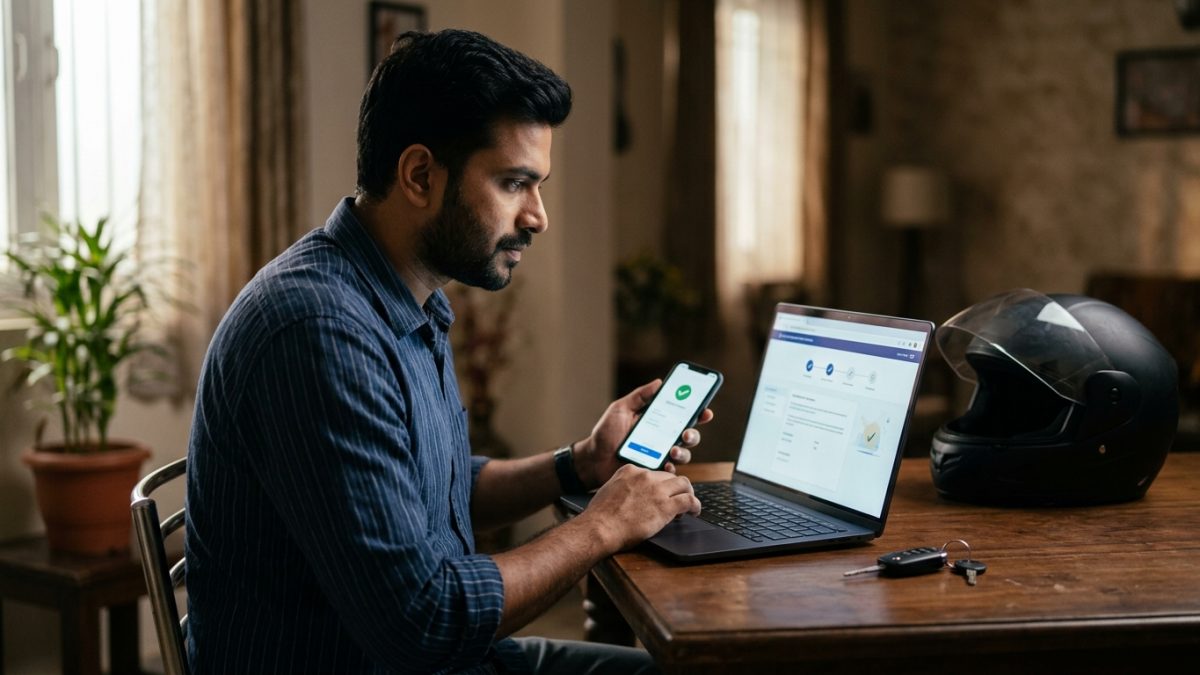
If you find that your traffic challan payment debited but pending status persists, do not panic. The transport ministry provides a direct reconciliation tool called check pending transaction echallan parivahan to resolve stalled records. You can also review your vehicle documentation using VahanX RC search to verify your vehicle records.
- Access the official portal: Open your web browser and navigate directly to the official Parivahan eChallan website.
- Navigate to pending services: In the top navigation bar, click on 'Check Online Services' and select the option titled 'Check Pending Transaction' or 'Check Failed Transaction'.
- Enter your challan identifiers: On the pending transaction search portal, choose whether to search by Challan Number or Vehicle Registration Number.
- Submit security details: Enter your vehicle number or challan details, type the Captcha code shown on the screen, and click 'Get Details'.
- Locate the affected transaction: Review the transaction history table showing your transaction ID, fine amount, payment gateway name, and the current transaction date.
- Trigger manual reconciliation: Click on the 'Payment Verify' or 'Verify' button located beside the pending transaction row.
Once you click verify, the Parivahan portal contacts the payment gateway server in real time. If the acquiring bank confirms that the money was successfully credited to the treasury, your status instantly flips to 'Payment Successful'. You will then see an option to download your digital payment receipt.
If the gateway confirms that the transaction was aborted, the portal changes the status to 'Failed'. This removes the lock on your traffic violation record and immediately re-enables the 'Pay Now' button so you can settle the fine safely.
Challan Payment Refund Timeline and RBI Compensation Rules
Understanding the exact challan payment refund timeline saves motorists from unnecessary stress. When a digital payment drops and the bank reports a transaction failure, the money does not disappear. The funds remain held in an intermediary nodal account before being automatically routed back to the payer's source account.
As of October 2026, all digital payment refunds in India are governed by the Reserve Bank of India framework on Turn Around Time (TAT) harmonisation under circular DPSS.CO.PD No.629/02.01.014/2019-20. This mandate covers merchant transactions and utility payments processed through authorized payment system operators.
| Payment Method | Mandated TAT Window | Typical Credit Timeline | Applicable Authority |
|---|
| UPI / QR Code | T + 1 Calendar Day | 24 to 48 Hours | NPCI / RBI Mandate |
| Net Banking | T + 5 Calendar Days | 3 to 5 Working Days | Acquiring Bank / Treasury |
| Debit & Credit Cards | T + 5 Calendar Days | 4 to 7 Business Days | Card Network / Gateway |
| Treasury Manual Refund | Up to 15 Working Days | State Treasury Dependent | State Finance Department |
Here, 'T' represents the date on which the transaction occurred. For UPI transactions, the reversal must be executed by T+1 day. For card payments and net banking gateways handling merchant utility bills, the refund window is capped at T+5 calendar days.
Under RBI regulations, if a failed digital transaction reversal is delayed beyond the prescribed TAT due to gateway or bank delay, you are entitled to compensation of ₹100 per day credited automatically.
Keep your bank SMS alerts, debit statement, and UPI 12-digit Unique Transaction Reference (UTR) handy. These details provide conclusive evidence if your refund does not arrive within the standard seven working days.
What to Do If You Paid Challan but Still Showing Unpaid
A common mistake vehicle owners make when their paid challan but still showing unpaid record appears is initiating a second payment immediately. Making another attempt while the original payment is in transit often leads to duplicate deductions. You can cross-reference your pending notices with a quick challan check by vehicle number before taking further action.
- Preserve payment evidence: Take a screenshot of the debit notification from your mobile banking app or UPI platform showing the 12-digit UTR number and timestamp.
- Observe the reconciliation window: Wait at least 30 minutes to 24 hours before attempting another transaction, giving treasury batch systems time to sync.
- Run the verification check: Visit the Parivahan portal and use the 'Check Pending Transaction' tool to trigger an automated bank enquiry.
- Check your source bank statement: Log in to your bank account to verify whether the money has reversed back or remained deducted.
- Pay again only if unlocked: Only initiate a new payment if the portal status turns to 'Failed' and re-activates the 'Pay Now' button.
Never initiate a second transaction while your initial attempt shows 'Pending' or 'In Process'. If both payments clear at the state treasury, recovering the duplicate amount requires manual treasury paperwork.
If you made a payment via Sarathi Parivahan for driving licence fees or related penalties, you can likewise access the driving licence portal to verify fee payments. You can also confirm your licence records using VahanX driving licence check.
How to File a Grievance for Parivahan Challan Payment Not Updated
If your parivahan challan payment not updated issue persists beyond 24 hours, and the 'Payment Verify' button fails to clear the transaction, you should file a formal complaint. The Ministry of Road Transport and Highways (MoRTH) provides an online grievance system specifically for ticketing and payment discrepancies.
- Open the grievance redressal page: Go to the Parivahan Grievance Portal on the official eChallan website.
- Select your complaint type: Choose 'Payment Related' or 'Payment debited but status unpaid' from the issue category dropdown list.
- Provide vehicle and challan details: Enter your challan number, vehicle registration number, and state where the violation occurred.
- Add personal contact details: Fill in your full name, registered mobile number, and active email address to receive tracking updates.
- Upload payment proof: Attach a PDF or image of your bank debit passbook statement or UPI transaction receipt showing the 12-digit UTR number.
- Submit and track: Submit the web form to generate a unique Grievance Ticket ID, which you can use to check resolution status online.
If you prefer direct escalation or do not receive an update within 5 business days, you can contact the central technical support team directly. Send an email detailing your issue to helpdesk-echallan@gov.in. Include your challan number, vehicle number, and transaction receipt.
You can also reach the central transport helpdesk helpline at 0120-4925505 or 0120-2459171 between 6:00 AM and 10:00 PM on all working days.
State Traffic Portals and Virtual Court Exceptions
Not all traffic penalties in India are resolved solely on the central Parivahan NextGen portal. Depending on the state where the traffic camera captured the violation, your payment records might be managed on independent state police servers or redirected to judicial platforms.
| Jurisdiction / State | Dedicated Platform | Support / Grievance Route | Key Settlement Rule |
|---|
| Delhi Traffic Police | traffic.delhipolice.gov.in | Delhi Police Grievance Portal | Handled outside central Parivahan; syncs via Tatpar App |
| Maharashtra Police | mahatrafficechallan.gov.in | helpdesk@mahatrafficechallan.gov.in | MahaTraffic app manages local municipal reconciliation |
| Telangana Police | echallan.tspolice.gov.in | TS Police online helpdesk | Mandates waiting 1 day; auto-refund takes 7 working days |
| Virtual Courts (Pan-India) | vcourts.gov.in | e-Courts Grievance Cell | Mandatory for challans transferred after 60-90 days |
In Delhi, e-challans generated by local automated speed or red-light cameras maintain independent databases. If your payment fails on the Delhi Traffic Police website or Tatpar App, raise your grievance through the Delhi Traffic Police grievance window rather than Parivahan.
In Telangana, the state police e-challan system operates its own payment gateway. The portal explicitly advises users that if money is debited but the challan remains unpaid, they must wait 24 hours. If it remains uncleared, the amount refunds within 7 working days.
If your unpaid traffic challan exceeds its statutory payment window (usually 60 to 90 days), the transport department transfers the case to the judiciary. When this occurs, the violation can no longer be settled on Parivahan.
You must visit the official Virtual Courts Portal, search for your record using your vehicle number or CNR number, and settle the fine before the virtual magistrate. Payments made on Virtual Courts generate a separate judicial receipt that clears the police record.
Documents Checklist and Avoiding Online Challan Scams
Resolving an echallan payment pending verification issue requires keeping the proper digital paper trail ready. Having organized documentation allows support desks and bank dispute teams to track lost funds quickly.
- Vehicle Registration Certificate: Ensure your registration document details match the vehicle cited on the challan record.
- Unique Transaction Reference (UTR): A 12-digit numerical identifier provided on all UPI transactions (PhonePe, Google Pay, Paytm, or BHIM).
- Payment Gateway Transaction ID: Alphanumeric transaction reference generated on payment receipts by SBI ePay, PayU, or BillDesk.
- Bank Account Statement: Official PDF or passbook copy displaying account debits, timestamps, and settlement amounts clearly.
- Portal Screen Capture: Screenshot of the Parivahan 'Pending Verification' screen displaying the transaction error message.
Never install APK files received via SMS or WhatsApp claiming that your vehicle has unpaid traffic fines. Scammers use fake challan notices to deploy malware and steal banking credentials.
Cybercriminals frequently exploit the fear of pending fines by sending text alerts with titles such as 'RTO Challan Alert'. These messages prompt users to click shortened links or download malicious files named 'RTO Challan.apk'.
Always verify your traffic penalties directly on authentic government websites ending strictly in .gov.in. Legitimate transport authorities and traffic police departments will never ask for your debit card PIN, CVV number, or OTP to verify a pending fine status.
Conclusion
Dealing with a traffic challan payment failed alert after your funds are debited can be stressful, but government portals have reconciliation tools to resolve stuck transactions. Always verify your transaction status on Parivahan before attempting another payment, and monitor your bank account for auto-refunds under RBI timelines.
Keep your digital receipts organized and use our VahanX challan search tool to verify your vehicle records and ensure your record remains completely clear of unpaid fines.