Key Takeaways
- Pay traffic notices within 45 days to avoid deemed acceptance and escalation to Virtual Courts.
- Complete settlement directly through Parivahan NextGen or municipal police portals.
- Retrieve pending challans without a challan number using your vehicle registration and chassis digits.
- RC blacklisting blocks fitness, permit, and ownership transfers until dues are cleared.
A traffic challan payment can be completed online within minutes via the Ministry of Road Transport and Highways (MoRTH) Parivahan portal or dedicated state traffic police websites. You can verify and pay your dues using your vehicle number, engine digits, or notice ID to avoid legal escalation or automated vehicle blacklisting.
Before remitting penalties, vehicle owners can use the VahanX challan search tool to track pending violations across national and regional enforcement databases. Clearing dues quickly ensures your registration records remain active and unencumbered on central transport servers.
| Feature | Parivahan NextGen | State Police Portals | Virtual Courts (vcourts) |
|---|
| Managing Body | MoRTH & NIC | State / City Police | e-Courts System |
| Standard Window | 0 to 45 Days | 0 to 45 Days | Post 45–60 Days |
| Search Mode | Challan, Vehicle, DL | Vehicle, Notice, Mobile | CNR, Mobile, Vehicle |
| RC Unblock Time | Immediate to 24 hours | 24 to 72 hours | Immediate upon disposal |
Understanding Modern Digital Traffic Enforcement Rules
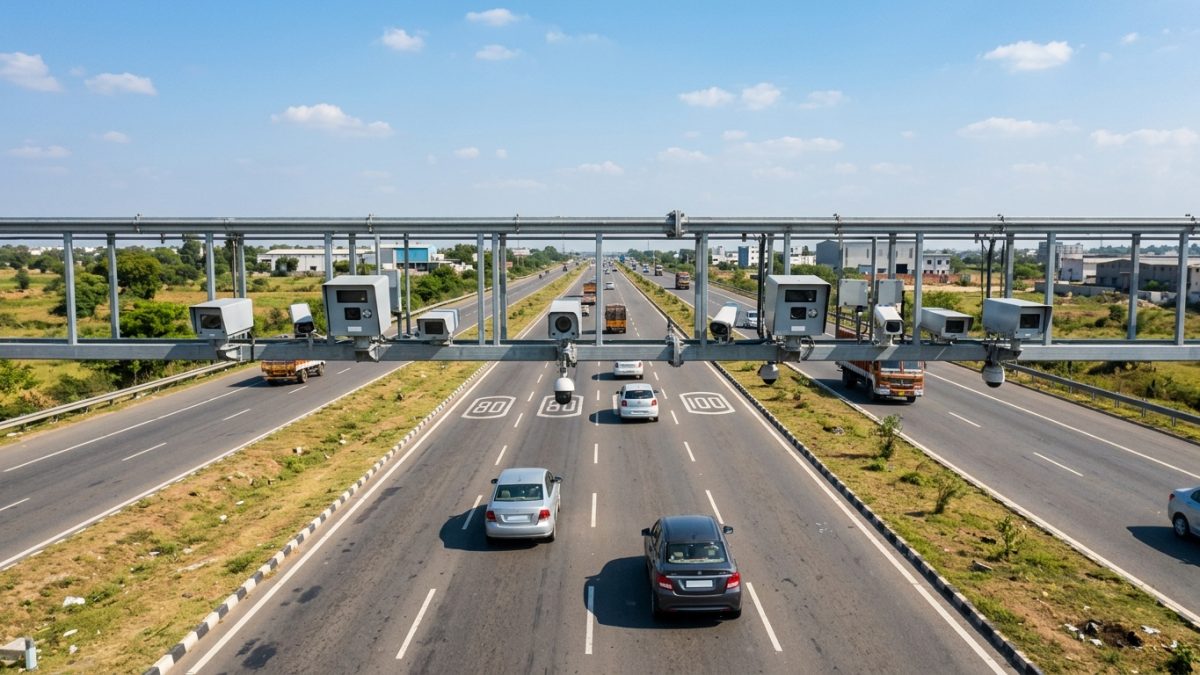
Modern traffic monitoring in India relies on automated enforcement infrastructure, including Automatic Number Plate Recognition (ANPR) systems, speed detection cameras, and Intelligent Traffic Management Systems (ITMS). Under Central Motor Vehicles Rules, whenever a violation is captured, an electronic notice is generated and delivered via SMS to the mobile number registered in Vahan 4.0.
Ignoring these notices triggers strict compliance windows that impact vehicle documentation. The integration between central enforcement systems and RTO registries ensures that unpaid penalties restrict daily administrative vehicle services.
Automated camera notices are treated as legally served electronic communications once transmitted to your mobile number registered on Vahan.
The 45-Day Compliance and Escalation Timeline
Indian traffic rules enforce a structured recovery cycle for all electronic notices as of October 2026:
- 0 to 45 Days (Dispute or Settlement): The vehicle owner has 45 days from issuance to either make a traffic challan payment online or raise a formal contest.
- 46 to 75 Days (Deemed Acceptance): If unaddressed after 45 days, the violation is legally deemed accepted. A secondary 30-day payment grace period applies.
- 60 to 90 Days (Transfer to Virtual Court): Unresolved compoundable notices in participating states shift to the Virtual Courts system. The standard Parivahan payment link is deactivated.
- Beyond 90 Days (RC Blacklisting): If ignored past the final court thresholds, the registration is flagged on Vahan 4.0 as "Not to Be Transacted".
Impact of an RC Block on Vahan 4.0
When an RC is flagged as blacklisted due to unpaid fines, citizens face a complete freeze on RTO paperwork. You cannot execute an ownership transfer, add or remove hypothecation, renew a fitness certificate (FC), extend commercial permits, or obtain a duplicate RC. Furthermore, repeated violations like signal jumping carry a mandatory driving licence suspension of at least three months under Section 19 of the Motor Vehicles Act.
Motor Vehicles Act: Standard Violation Penalties
Before settling dues, review the standard statutory fines laid down under the amended Motor Vehicles Act. While several states notify customized compounding fees for specific non-hazardous offenses under Section 200, the baseline nationwide penalties remain standard.
| Violation Type | MV Act Section | Statutory Penalty Amount | Licence Action |
|---|
| Helmet Non-Compliance | Sec 129 / 194D | ₹1,000 | 3-Month DL Disqualification |
| Seat Belt Non-Compliance | Sec 138(3) / 194B | ₹1,000 | None |
| Over-Speeding (LMV) | Sec 112 / 183 | ₹1,000 to ₹2,000 | None (First Offence) |
| Over-Speeding (Transport) | Sec 112 / 183 | ₹2,000 to ₹4,000 | DL Impoundment on repeat |
| Signal Jumping / Red Light | Sec 184 | ₹1,000 to ₹5,000 | Suspension on repeat |
| No Third-Party Insurance | Sec 146 / 196 | ₹2,000 (1st) / ₹4,000 (Subsequent) | Possible 3 months jail |
| Driving Without DL | Sec 3/4 / 181 | ₹5,000 | Impoundment / Fine |
| Mobile Phone Usage | Sec 184(c) | ₹1,000 to ₹5,000 | Suspension on repeat |
| PUC Non-Compliance | Sec 190(2) | ₹10,000 (Compoundable) | None |
Fines can vary slightly across states like Gujarat, Karnataka, and Maharashtra where independent compounding tables have been gazetted for petty violations.
Parivahan NextGen vs. State Police Portals
Motorists often wonder where they should settle their fines. Both central and state platforms process payments, but they serve different municipal databases.
| Comparison Factor | Parivahan NextGen Portal | State Traffic Police Portals |
|---|
| Website Address | echallan.parivahan.gov.in | State-specific (e.g., Delhi, Telangana) |
| Coverage Scope | Unified national repository | Intra-city ITMS feeds & municipal notices |
| Camera Data Sync | Batch sync (24 to 72 hour lag) | Instantaneous local camera uploads |
| Court Redirection | Direct routing to vcourts.gov.in | May require local court branch visit |
Why Challans Appear on State Sites but Not on Parivahan
City police departments capture notices via municipal CCTV networks. Pushing these local records through the automated National Informatics Centre (NIC) API pipeline introduces a synchronization lag ranging from several hours to three days. Additionally, certain local municipal police orders are maintained strictly on local servers. Completing your traffic challan payment state police portal transaction will settle the legal fine and eventually update central registries.
Major State Portal Nuances
Specific states manage independent traffic payment platforms that operate alongside the national network:
- Delhi Police: Speed camera and red-light tickets appear on traffic.delhipolice.gov.in first. Unpaid notices are referred to the Delhi Virtual Court after the 45-day window.
- Telangana Police: Notices are processed via echallan.tspolice.gov.in. Fines register immediately here, while batch sync to Parivahan may take up to 72 hours.
- Maharashtra Traffic Police: Highway and city surveillance notices log at mahatrafficechallan.gov.in before reconciling centrally.
How to Complete Traffic Challan Payment on Parivahan
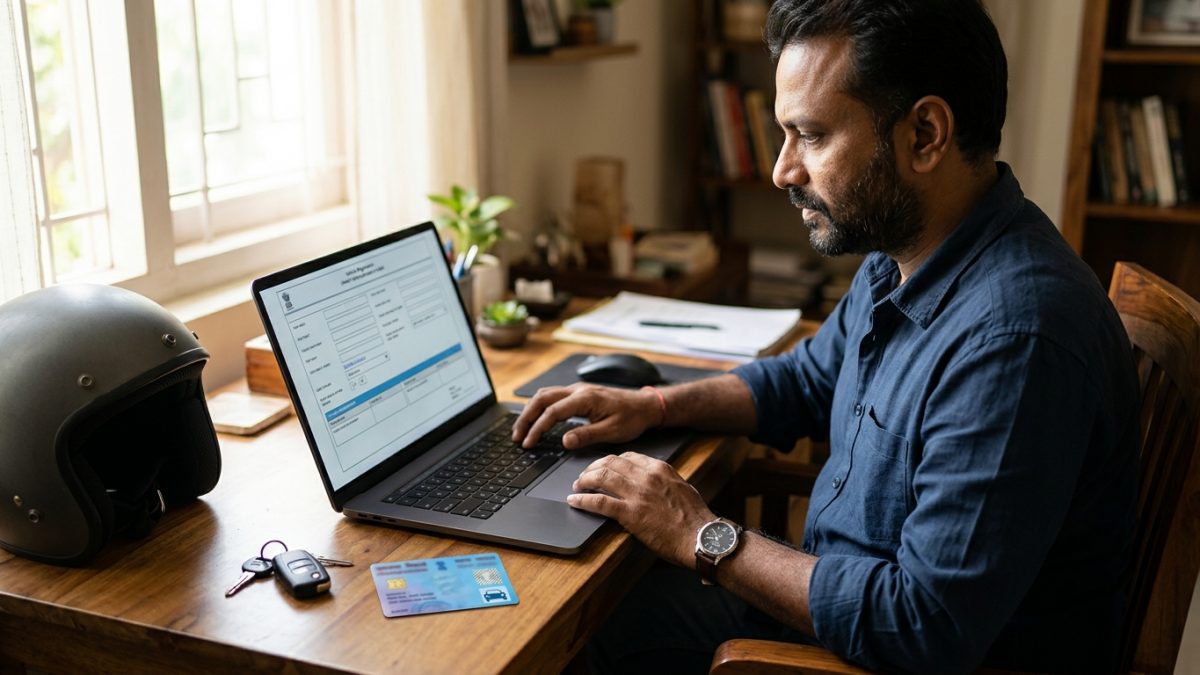
Vehicle owners can use the national e-Challan gateway to clear violations registered anywhere across the country. Follow these operational steps to remit dues directly.
- Access the e-Challan portal: Open your web browser and visit the central portal at echallan.parivahan.gov.in, then click on Check Challan Status.
- Input vehicle details: Select the search parameter corresponding to your available documents. Choose Challan Number, Vehicle Number, or DL Number.
- Provide security parameters: When selecting pay traffic challan by vehicle number, enter the mandatory security credentials: the last 5 characters of your Chassis Number or Engine Number.
- Solve verification captcha: Type the displayed captcha characters correctly and click Get Detail to populate pending records.
- Review the offense: Inspect the listed violation table detailing the date, exact time, camera photographic proof, and the specific section cited.
- Proceed to checkout: Click the Pay Now button corresponding to the open fine.
- Verify mobile OTP: Enter the one-time password dispatched to your mobile number to authorize the settlement session.
- Select payment gateway: Choose the state-supported gateway aggregator, such as SBI ePay, Cyber Treasury, or Bharatkosh.
- Authorize funds transfer: Complete the payment using your preferred digital channel, including UPI, Debit Card, Credit Card, or Net Banking.
- Download official receipt: Save the generated online traffic challan payment receipt. This digitally signed PDF serves as legal evidence of compliance.
If you lack a physical RC card to find your engine digits, consult our guide on creating a virtual RC on mParivahan to retrieve your credentials.
How to Pay a Challan Without a Challan Number
You do not need an official notice slip or SMS tracking number to settle your dues. The digital registry provides multiple identification pathways if you misplaced your challan copy.
To pay challan without challan number, select the vehicle search option on the Parivahan home screen. Enter your vehicle registration digits alongside either the last five characters of your Chassis Number or the last five characters of your Engine Number. Both identifiers are printed directly on your vehicle RC card.
Alternatively, motorists can look up offenses tied directly to their operator record by selecting the Driving Licence option. You can read our detailed breakdown on how to check challans by driving licence to inspect personal driver records. Drivers can also review overall vehicle documents on the VahanX RC search portal prior to remitting payments.
Settling Escalated Notices on Virtual Courts
When a compounded ticket is neglected beyond the 45-day window, state systems forward the file to the electronic judiciary network. Once transferred, the standard Parivahan button disables payment, and you must finalize the summons on vcourts.gov.in.
- Select court jurisdiction: Open the Virtual Courts portal and select the corresponding state and designated traffic court department.
- Retrieve summons record: Query the system by entering your registered Mobile Number, Challan Number, Vehicle Number, or CNR Number.
- Inspect proposed fine: Click View to review the offense breakdown, photographic evidence, and the judicial fine amount.
- Submit legal plea: Select "I accept the proposed fine" to clear the violation immediately. If you dispute the ticket, choosing "I wish to contest the case" transfers the file to a regular Digital Traffic Court for a magistrate hearing via video conference.
- Authenticate via mobile: Generate and verify the security OTP sent to your registered mobile phone.
- Execute court payment: Proceed to the judiciary payment platform at pay.ecourts.gov.in and pay via digital modes. The summons status updates to Disposed immediately upon receipt.
Accepted Payment Modes and Handling Technical Errors
Motorists can clear dues using several authorized digital channels. Standard public portals support:
- Unified Payments Interface (UPI): Google Pay, PhonePe, Paytm, BHIM, and bank UPI apps.
- Debit and Credit Cards: Visa, MasterCard, RuPay, and Maestro.
- Internet Banking: Retail and corporate net banking via SBI ePay and state treasuries.
- Bharat Bill Payment System (BBPS): Integrated utility bill portals and supported consumer apps.
- On-Spot Payment: Handheld POS terminals carried by on-duty traffic officers or authorized treasury cash desks.
Resolving Failed Payments and Debited Accounts
If money leaves your bank account but the website reports a pending status, avoid making an immediate second payment. Banking aggregators usually require up to 48 hours to complete backend reconciliations.
Visit the Parivahan homepage and select Check Pending Transaction. Submit your vehicle or notice number to trigger an active status check. If the payment failed permanently, the source bank processes an automated reversal within 48 to 72 hours. For deeper troubleshooting steps, consult our guide on traffic challan payment failed refunds.
Never click on SMS links offering fine discounts from random phone numbers; verified government notices only originate from official domains ending in .gov.in or .nic.in.
Conclusion
Completing your traffic challan payment promptly keeps your vehicle registration active and protects you from steep court penalties or driving licence suspensions. Whether you settle dues via the central Parivahan gateway, your municipal police platform, or Virtual Courts, always verify that your digital receipt confirms a successful transaction.
Take a moment to check your vehicle's compliance status on VahanX challan search to ensure all pending notices are cleared, your RC remains unencumbered, and your transport services stay uninterrupted.