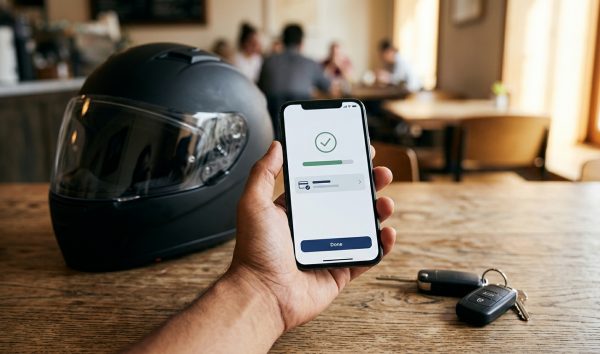
An mParivahan virtual RC is a legally recognized digital Registration Certificate generated through the official NextGen mParivahan app. It carries the exact same legal weight as a physical RC smart card across India, allowing vehicle owners to prove registration, fitness, and insurance status directly on their smartphones without carrying physical paper documents.
Before generating your digital card, you can verify your active vehicle status online using VahanX RC search to confirm your engine number, chassis number, and registration record. Carrying original paper credentials in your glovebox is no longer necessary under modern Indian transport regulations.
Key Takeaways
- Electronic RCs inside NextGen mParivahan are legally equivalent to physical smart cards across India.
- Traffic police cannot issue challans for not carrying physical documents under Rule 139.
- Creating a virtual RC requires entering the last five digits of your chassis and engine numbers.
- Static screenshots or photocopies are invalid; enforcement requires the dynamic in-app QR code.
- You can securely share temporary access to your virtual RC with family members via mobile number.
| Feature | Details |
|---|
| Official Platform | NextGen mParivahan App (NIC / MoRTH) |
| Authentication Required | Registration Number + Last 5 digits Chassis & Engine |
| Legal Authority | Rule 139 CMVR, 1989 & MoRTH Notification G.S.R. 1081(E) |
| Validity Scope | Pan-India across all State Police & Transport Departments |
| Sharing Permitted | Yes, dynamic app-to-app sharing with custom validity periods |
What Is an mParivahan Virtual RC and Legal Validity Rules
The Ministry of Road Transport and Highways (MoRTH) transformed vehicle document verification across India by giving digital credentials statutory equivalence. Under Central Motor Vehicles Rules (CMVR), 1989, motorists do not have to carry hard copies of registration certificates, driving licences, or pollution papers if they are available electronically.
The foundational legal mandate comes from MoRTH Notification G.S.R. 1081(E), dated 2 November 2018, which amended Rule 139 of the CMVR. This amendment explicitly empowered drivers to produce transport documents in electronic form through authorized government platforms.
This framework was strengthened by the CMVR (Eleventh Amendment) Rules, 2020, which came into effect on 1 October 2020. Under these updated provisions, when an enforcement officer requests transport documents, digital presentation through NextGen mParivahan or DigiLocker satisfies all statutory compliance mandates.
Sections 4 and 9A of the Information Technology Act, 2000 reinforce this legal protection. Section 4 provides that electronic records satisfy requirements for written or printed documents, while Rule 9A ensures digital certificates pushed from government databases hold identical evidentiary value as original paper records issued by licensing authorities.
Rule 139 of the Central Motor Vehicles Rules confirms that digital documents presented inside government applications carry full statutory equivalence to physical cards.
Is mParivahan RC Valid for Traffic Police Inspection?

Many motorists ask: is mparivahan rc valid for traffic police officers when stopped during a roadside check? Yes, the digital RC inside the official app is completely valid, and police officers cannot insist on seeing a physical smart card or laminated booklet.
MoRTH issued a comprehensive Standard Operating Procedure (SOP) via circular RT-11036/64/2017-MVL dated 17 December 2018. This protocol specifies how traffic police and state transport enforcement units must inspect digital credentials using the official e-Challan enforcement application.
Enforcement officers verify compliance by scanning the dynamic mparivahan virtual rc qr code displayed on your smartphone. Scanning this encrypted barcode pulls real-time validation directly from the central Parivahan Sewa database, verifying that the registration has not been blacklisted, cancelled, or suspended.
If an enforcement officer insists on a physical paper and threatens a challan for document non-possession, they are acting contrary to MoRTH directives. In fact, Section 210B of the Motor Vehicles (Amendment) Act, 2019 holds enforcement authorities liable to pay twice the penalty if they unlawfully harass motorists or misapply statutory provisions.
Enforcement officers cannot demand physical cards if your virtual document displays on an authorized government portal, as outlined in MoRTH circular RT-11036/64/2017-MVL.
Penalties for RC Violations and Document Non-Production
While an active digital document prevents non-possession fines, driving an unregistered vehicle or failing to show credentials when stopped still attracts heavy statutory penalties under the Motor Vehicles Act. If you suspect an outstanding fine on your vehicle, check your pending cases on VahanX challan search to resolve any pending fines before travel.
The Motor Vehicles Act distinguishes between genuinely unregistered vehicles and cases where an authorized driver simply cannot present their documents immediately during roadside checking.
| Offence Description | Section (MV Act) | First Offence Penalty | Subsequent Offence Penalty |
|---|
| Driving Unregistered Vehicle | Section 192 | ₹2,000 to ₹5,000 fine | ₹5,000 to ₹10,000 fine / up to 1 yr jail |
| Failure to Produce Documents | Section 130 r/w 177 | ₹500 fine | ₹1,500 fine |
| Officer Harassment / Non-Compliance | Section 210B | Double prescribed penalty | Double prescribed penalty |
Under amended Rule 139, if you cannot access your phone due to battery failure or technical difficulties during inspection, you have a statutory window of 15 days. You can present your original documents or verified digital records to the jurisdictional enforcement office in person or by registered post within 15 days to avoid non-production penalties.
When an offence warrants document impounding, officers must tag the document electronically on the national Vahan database rather than physically seizing your smart card.
How to Create Virtual RC in mParivahan App: Step-by-Step Guide

Learning how to create virtual rc in mparivahan takes only a few minutes on an Android or iOS device. Before starting, confirm you have an active internet connection and your vehicle chassis and engine numbers readily accessible.
Follow this numbered walk-through explaining how to add rc in mparivahan app:
- Download the application: Complete your mparivahan app download virtual rc setup by installing the official NextGen mParivahan app from the Google Play Store or Apple App Store.
- Register your profile: Open the application, register using your active mobile number, verify the SMS OTP, and establish a secure 6-digit MPIN for dashboard login.
- Navigate to Transport Services: From the homepage dashboard, tap on the "Transport Services" tab or select the "My Virtual RC" module.
- Search vehicle number: Enter your registration number without hyphens or spaces and tap "Search" to load preliminary masked records.
- Input authentication numbers: Tap "Add to Dashboard for Virtual RC" and enter the verified virtual rc chassis number engine number values (last 5 alphanumeric digits of each).
- Verify and finalize: Select "Verify" or "Add My Vehicle" to prompt database synchronization with the central Vahan 4.0 register.
- Open your digital document: Navigate back to your dashboard to view the generated document containing your registration details, tax status, PUC validity, and encrypted QR code.
Once added, you can complete your mparivahan virtual rc download view offline whenever needed, as the application stores encrypted tokens securely on your device.
Why Virtual RC Requires Chassis Number and Engine Number Authentication
Many users wonder why public search portals show partial registration details, yet generating a virtual RC requires entering the last five digits of the chassis and engine numbers. This security layer balances citizen convenience with privacy protection.
The public search on Parivahan deliberately masks sensitive identity attributes. This prevents unauthorized tracking, vehicle stalking, identity theft, and automated scraping of private vehicle records by commercial entities.
Requiring the last five digits of both numbers acts as two-factor physical verification. Only someone with legitimate physical access to the vehicle, its original registration smart card, or the manufacturer invoice possesses both numbers. This design prevents third parties from adding your vehicle credentials to their personal devices.
| Verification Element | Public Search Mode | Virtual RC Dashboard Mode |
|---|
| Owner Identity | Masked (e.g., R*** S****) | Full legal owner name |
| Chassis & Engine Numbers | Completely Hidden | Last 5 digits visible / fully validated |
| Insurance & Fitness Data | Basic expiry dates | Complete policy details & validity |
| Enforcement Utility | Informational only | Legally binding QR code for police checks |
Never share your full engine and chassis numbers publicly, as these serve as authentication keys for generating digital ownership credentials.
Why Screenshots of Virtual RC Are Rejected by Police
A frequent mistake motorists make is taking a static phone screenshot of their virtual document and storing it in their photo gallery. Showing a screenshot or photocopy to traffic police during inspection is invalid and can lead to a fine under Section 130 read with Section 177.
The MoRTH Standard Operating Procedure demands that electronic credentials be rendered inside the live application interface. Static images can be digitally manipulated using photo-editing software to display false insurance dates, altered registration classes, or forged engine specifications.
The NextGen mParivahan app generates a dynamic, time-sensitive, encrypted QR code. When an enforcement officer scans this code using the national e-Challan handheld terminal, the terminal connects to the Vahan repository to confirm the document has not been suspended, stolen, or flagged for unpaid challans.
How to Share Virtual RC mParivahan With Family Members
If multiple family members drive the same car, you do not need to give them physical cards or share your personal account login. Understanding how to share virtual rc mparivahan allows you to authorize secondary drivers safely.
The application includes an integrated "Share RC" protocol designed for household sharing and authorized vehicle handovers:
- Install secondary app: Ensure the recipient installs NextGen mParivahan on their phone and creates an account using their own personal mobile number.
- Select vehicle card: Open your app, go to your "Virtual RC" dashboard, and select the vehicle you wish to authorize.
- Initiate sharing: Tap the "Share RC" icon visible next to the vehicle overview card.
- Enter recipient number: Enter the registered mobile number of the family member receiving the vehicle access.
- Set validity duration: Choose the sharing time frame, ranging from single-day temporary access to extended durations.
- Confirm authorization: Confirm the share request; the document instantly appears in the recipient's "Received RC" section complete with its valid QR code.
The vehicle owner retains full control at all times and can revoke access immediately via the "Shared RC" management dashboard if the vehicle returns early.
Troubleshooting: mParivahan Vehicle Details Not Found Fixes

Occasionally, motorists encounter an error stating "Vehicle Details Not Found" when attempting to add their vehicle. This problem generally stems from data synchronization delays, typographical errors, or un-digitized legacy vehicle records.
| Root Cause | Underlying Reason | Recommended Solution |
|---|
| Data Entry Typo | Confusion between digit '0' and letter 'O', or unnecessary spacing | Re-enter registration number without hyphens, spaces, or formatting marks |
| New Vehicle Sync | Dealers upload data locally before Vahan 4.0 sync runs | Allow 2 to 7 working days following registration for central synchronization |
| Legacy Paper RC | Older vehicle registered before centralized Vahan database rollout | Apply for Backlog Entry on Parivahan or visit the local RTO office |
| Unlinked Mobile Number | RTO database lacks updated Aadhaar-linked phone credentials | Update contact details online at Vahan Citizen Services portal |
| State Portal Disconnect | Certain regional systems experience periodic sync delays | Use regional platforms like RTA m-Wallet or DigiLocker temporarily |
For vehicles registered prior to the nationwide rollout of the centralized Vahan 4.0 database, physical paper booklets often lack digital counterparts. In this situation, apply for a backlog entry on the Vahan Citizen Services portal or visit your jurisdictional authority to digitize the record. You can find your local authority details using VahanX RTO office details before visiting with your original physical papers.
If your mobile number has changed since registering the vehicle, log in to the Vahan portal under "Online Services" and select "Update Mobile Number" using Aadhaar-based OTP authentication to restore app access.
Always verify your credentials through VahanX RC search to confirm your technical specs and insurance validity match the national database before completing app setup.
Conclusion
Creating and maintaining an mParivahan virtual RC is one of the easiest ways to safeguard yourself against document loss, damage, and roadside fines. Under Rule 139 of the CMVR, traffic enforcement officers across all Indian states and Union Territories are legally obligated to recognize your in-app digital RC as an authentic document.
Take five minutes today to set up your vehicle profile on the NextGen mParivahan app using your engine and chassis numbers. For instant peace of mind before driving, run an online check to ensure your registration, fitness, and insurance records are completely active.