Key Takeaways
- Sarathi Parivahan centralises all driving licence services across 1,400+ RTOs in India.
- Aadhaar e-KYC enables 100% contactless applications for learner licences, renewals, and address updates.
- Permanent licence test slots can be booked, rescheduled, or cancelled directly online.
- Failed fee debits can be resolved using the built-in Verify Pay Status tool.
- Statutory fees under Rule 32 keep overall licence costs under ₹1,000 for applicants.
| Feature | Details |
|---|
| Official Portal | sarathi.parivahan.gov.in |
| Administering Authority | MoRTH & National Informatics Centre (NIC) |
| Statutory Base Fees | ₹150 (LL), ₹300 (Test), ₹200 (DL Issue) |
| Key Requirement | Aadhaar-linked mobile number or RTO biometric visit |
| Processing Modes | Aadhaar e-KYC (Contactless) / Non-Aadhaar (Physical RTO) |
The sarathi parivahan portal is India's centralised digital gateway for all driving licence procedures, developed by the National Informatics Centre for the Ministry of Road Transport and Highways. It allows citizens to apply for licences, schedule driving tests, pay statutory fees, and complete renewals without visiting an RTO or hiring middlemen. You can easily complete formalities online and check driving licence status directly from your phone.
As of October 2026, the Sarathi 4.0 architecture connects over 1,400 Regional Transport Offices across the country. Following major regulatory updates by MoRTH, dozens of driving licence tasks operate on a faceless model. Understanding how this portal functions ensures you save time, avoid inflated broker fees, and track your application transparently.
Understanding Sarathi Parivahan Online Services

The digital evolution of Indian transport services accelerated through landmark central notifications. On 3 March 2021, MoRTH issued Notification S.O. 1046(E), introducing 18 contactless citizen services powered by voluntary Aadhaar authentication. This eliminated compulsory RTO counter visits for any service that does not mandate a practical driving competence test.
Further amendments to the Central Motor Vehicles Rules (CMVR), 1989, recognized digital authentication and electronic signatures on 31 March 2021. Later, Notification S.O. 4353(E) on 16 September 2022 expanded contactless citizen services to 58 categories across Sarathi and Vahan portals. Under Rule 31B of the CMVR, applicants completing training from an Accredited Driver Training Centre (ADTC) are even exempt from the physical RTO driving test under Section 9 of the Motor Vehicles Act, 1988.
Tip: Completing your application using Aadhaar authentication removes the need to carry physical document folders or wait in manual RTO verification queues.
When you select the "Submit via Aadhaar Authentication" option on Sarathi Parivahan, your identity and address details are fetched directly from UIDAI through an OTP verification. If your requested procedure does not require an on-track vehicle driving test, the workflow is entirely paperless.
- Learner's Licence (LL): Application filing, document verification, fee processing, and the STALL (Screen Test for Aid to Learner's Licence) theory examination from home using proctored webcams, as detailed in our guide on how to apply for a learning licence online.
- Renewal of Driving Licence: Available contactless if filed within one year before or after licence expiry, which you can review in our walkthrough on driving licence renewal online.
- Duplicate Driving Licence: Instant faceless submission if your card is lost, torn, stolen, or mutilated.
- Change of Address: Seamless sync of your updated residential address directly from UIDAI databases.
- International Driving Permit (IDP): Electronic submission of valid visa and passport records.
- Replacement of Driving Licence: Upgrading damaged or vintage laminated book licences to standard smart formats.
- Surrender of Class of Vehicle (COV): Voluntary cancellation of specific vehicle categories from your licence.
- Hazardous Goods Endorsement: Digital submission of mandatory refresher and training credentials.
- Conductor Licence Services: Online issuance, renewal, and address updates for commercial conductors.
- Mobile Number Updation: Direct authentication via OTP without RTO official intervention.
Warning: If you select "Submit without Aadhaar", you must manually book a counter slot, present physical self-attested documents, and complete biometric photo capture at your local RTO.
Official Fee Architecture for Sarathi Parivahan Services
Statutory fees for driving licences are strictly governed by Rule 32 of the Central Motor Vehicles Rules, 1989. While individual states may add smart card personalization costs (₹200) or India Post speed post dispatch charges (₹50), base government rates remain standardized across India.
| Service Category | Rule 32 Statutory Fee | Additional Charges / Notes |
|---|
| Learner's Licence (Form 3) | ₹150 per class | Base issue fee |
| LL Theory Test Fee | ₹50 per attempt | Payable on initial or re-test attempt |
| Driving Competence Test | ₹300 per class | Payable for each physical test attempt |
| Permanent DL Issue (Grant) | ₹200 | Standard grant fee |
| Smart Card Fee (Form 7) | ₹200 | Applicable where physical card is printed |
| DL Renewal | ₹200 | Within standard validity/grace period |
| Late DL Renewal Penalty | ₹300 + ₹1,000/year | Compounded annually beyond grace window |
| Duplicate DL Issuance | ₹200 | Plus smart card & postal charges if mailed |
| Change of Address / Particulars | ₹200 | Includes record amendment in central registry |
| International Driving Permit | ₹1,000 | Valid for up to 1 year or visa tenure |
| Addition of Class (AEDL) | ₹500 | Plus ₹300 driving test fee per category |
A fresh candidate seeking a permanent driving licence for a private car (LMV) incurs around ₹200 at the learner stage (₹150 licence + ₹50 test). At the permanent stage, the cost totals ₹700 to ₹900 (₹300 test + ₹200 grant + ₹200 smart card + ₹50 postal delivery). Private brokers charging ₹3,000 to ₹5,000 are unnecessary because every step is transparent on the national portal.
How to Complete Sarathi Parivahan Permanent DL Apply
Transitioning from a learner licence to an official permanent licence requires fulfilling legal prerequisites under Rules 14 and 15 of the CMVR, 1989. You must hold your learner's licence for a mandatory minimum period of 30 days before taking the practical driving test. Furthermore, you must complete your application within 180 days (6 months) from the date your learner licence was issued, prior to its expiration.
Step-by-Step Application Procedure
- Access the state portal: Visit the official website at sarathi.parivahan.gov.in and select your home state from the drop-down list.
- Initiate DL application: Click on the Driving Licence menu at the top and select Apply for Driving Licence.
- Review instructions: Read the prerequisite guidelines on the application stages screen and click Continue.
- Input learner credentials: Choose the option Holding Learner's Licence, enter your LL Number and your Date of Birth, then click OK.
- Select vehicle categories: The portal automatically pulls your profile from the central database. Check the boxes corresponding to the Class of Vehicles (COVs) you want tested.
- Confirm RTO jurisdiction: Ensure your application maps to the jurisdiction of the RTO that originally issued your learner permit.
- Upload documents: If applying through Aadhaar, your photo is retrieved automatically from UIDAI; upload your signature and medical declarations as prompted.
- Execute fee payment: Complete your sarathi parivahan fee payment using the integrated gateway for the test fee (₹300 per class) and licence grant fee.
- Proceed to appointments: Transition immediately to the slot selection window to reserve your practical test date.
Notice: If you are planning an RTO visit, you can quickly locate your local office code and counter timing by looking up RTO office details before heading out.
Sarathi Parivahan DL Slot Booking: Step-by-Step Guide
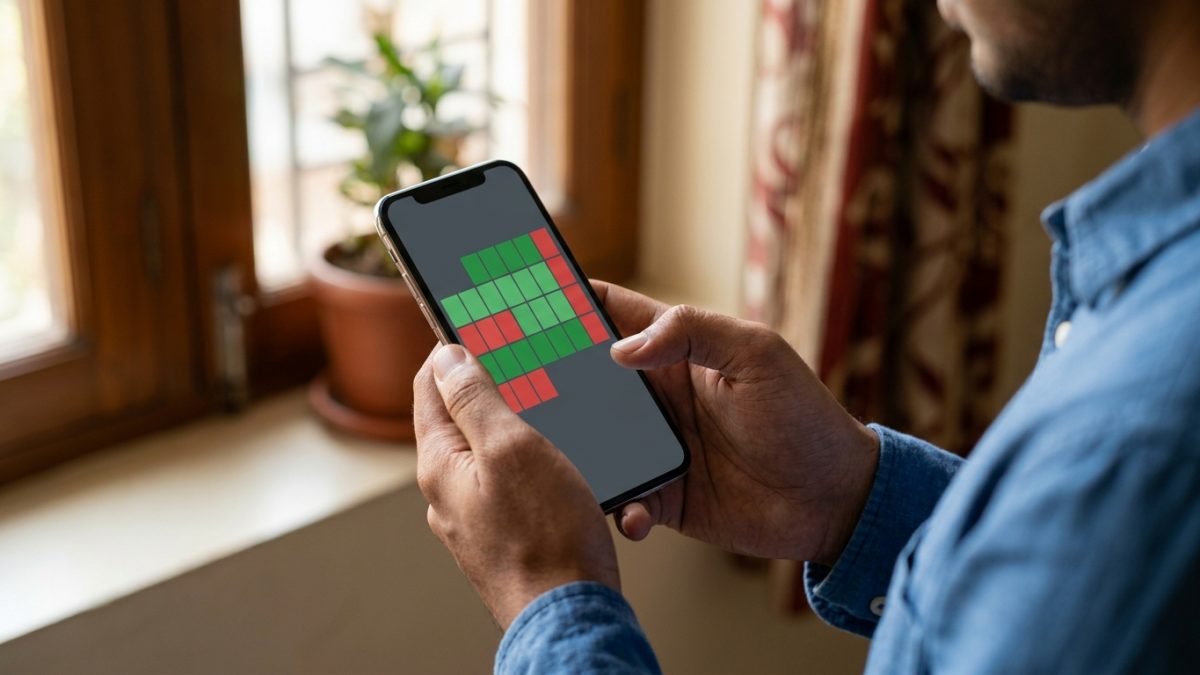
Reserving a test date via the sarathi parivahan dl slot booking system ensures you secure an allocated time at your designated RTO testing track. You cannot attempt a driving test without an authenticated appointment receipt.
- Navigate to appointments: Open the Sarathi homepage for your state, locate the Appointments tab on the main menu, and click Slot Booking > DL Test Slot Booking.
- Authenticate applicant identity: Select either Application Number or Learner Licence Number, type in your details alongside your Date of Birth and the captcha code, then click Submit.
- Select test categories: Your name and pending vehicle classes will appear on screen. Check the specific vehicle class boxes you intend to test for.
- Examine the interactive calendar: A real-time calendar grid will load showing designated availability markers.
- Select date and time: Click on an active green calendar date to reveal individual batch windows (such as 10:00 AM – 12:00 PM or 12:30 PM – 02:30 PM).
- Confirm slot with OTP: Choose your preferred time, click Book Slot, and enter the verification security OTP sent to your registered mobile phone.
- Download confirmation slip: Save and print the generated Appointment Acknowledgment slip to present on test day.
| Calendar Colour Code | Slot Status Description | Applicant Action Required |
|---|
| Green | Slots Available | Click to choose batch time and book immediately |
| Red / Dark Red | Slots Full / Exhausted | Select an alternate upcoming date |
| Blue / Grey | Public Holiday / Non-working Day | Unavailable for booking; try working weekdays |
Slot Cancellation and Rescheduling Rules
If an emergency arises, you can reschedule your test without losing your application. Visit Appointments > Cancel/Reschedule Slot on the portal at least 24 to 48 hours prior to your booked slot window. Most state transport departments permit 2 to 3 reschedules before your driving test fee lapses and requires repayment.
Resolving Sarathi Parivahan Fee Payment Glitches
One of the most frequent challenges applicants encounter during online transactions is a debited bank balance paired with an ungenerated receipt. This happens due to network latency between your banking gateway (SBI ePay, Bharatkosh, PayU, or state treasuries) and the central Sarathi database.
How to Reconcile Pending Payments
- Avoid immediate repayment: Never initiate a duplicate payment right away. Doing so locks your money and requires manual refund processing.
- Open verification tab: Navigate to your state's portal menu, click on Fee Payments, and choose Verify Pay Status.
- Submit transaction details: Enter your Application Number, Date of Birth, and the security captcha, then select Verify.
- Trigger server reconciliation: The Sarathi system performs an instantaneous server-to-server check with the payment aggregator. If the bank returns a success confirmation, your status updates to paid instantly.
- Print official receipt: Once the status shows Success, go to Fee Payments > Print Receipt to download your proof.
Note: If the verification tool continues showing a pending state, wait 24 to 72 hours for automated settlement scripts to run. If the transaction fails outright, banks typically reverse the funds to the source account within 5 to 7 business days.
How to Update Mobile Number and Address on Sarathi
Maintaining active contact records on the transport portal is essential for receiving OTPs, dispatch alerts, and digital licence notifications. Both mobile number revisions and residential address changes can be executed online.
Updating Your Mobile Number Directly
- Open mobile update page: Visit the official portal and select Others > Update Mobile Number from the primary navigation bar.
- Choose category: Select Driving Licence from the drop-down menu.
- Verify current licence: Provide your DL Issue Date, DL Number, and Date of Birth, then click Proceed.
- Review profile: The screen displays your registered name, father's name, and masked phone number.
- Submit new number: Type in your new 10-digit mobile number along with your reason for modification.
- Authenticate OTP: Enter the OTP sent to your new mobile number and submit. The record updates across national transport databases immediately.
Updating DL Address via Aadhaar e-KYC
- Select DL services: Under the Driving Licence tab, click on Services on DL (Renewal/Duplicate/AEDL/Others).
- Fetch profile: Enter your DL Number and Date of Birth, then click Get DL Details.
- Authenticate via Aadhaar: Confirm your personal details and choose Submit via Aadhaar Authentication (e-KYC).
- Verify OTP: Enter your 12-digit Aadhaar number or 16-digit Virtual ID, generate an OTP, and grant consent for verification.
- Confirm extracted address: The system automatically extracts your residential street, district, state, and pin code from UIDAI records.
- Choose service: Check Change of Address and indicate whether the change applies to Present, Permanent, or Both addresses.
- Pay fee and submit: Pay the statutory ₹200 fee plus any card printing charges. No additional address proof documents are required.
Automated Driving Test Tracks (ADTT) and On-Track Rules
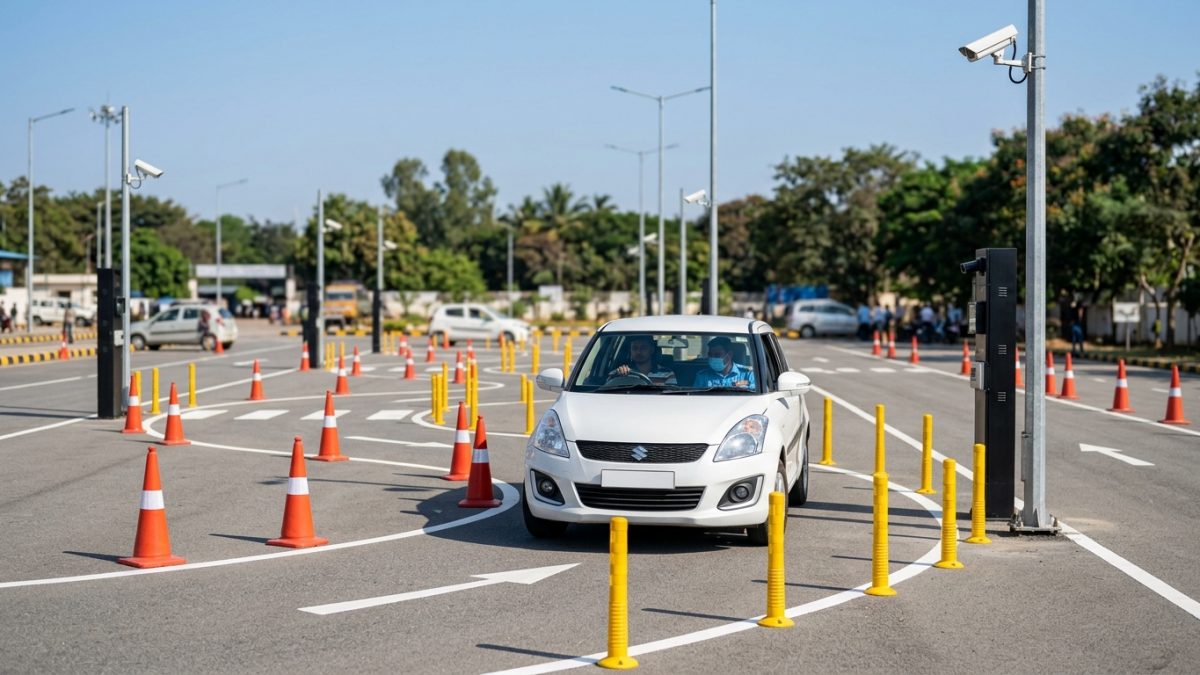
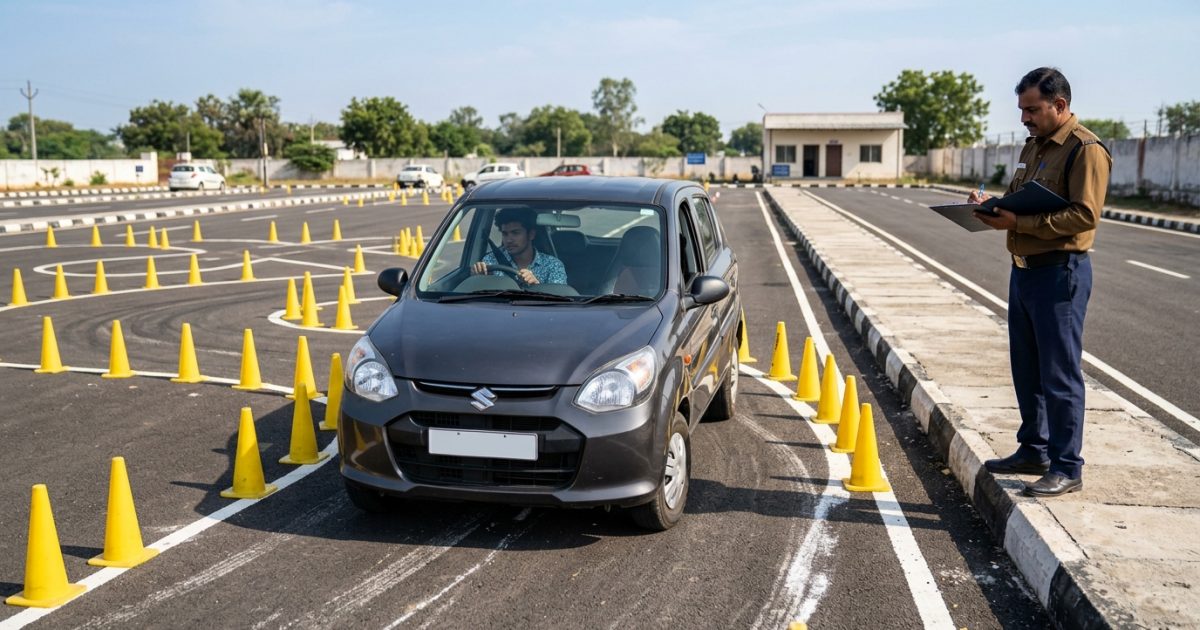
State transport departments across Delhi, Maharashtra, Gujarat, Karnataka, Tamil Nadu, Kerala, and Punjab have shifted test evaluations to Automated Driving Test Tracks (ADTT). These testing facilities remove human bias by relying on subterranean sensors, computer vision cameras, and RFID tags.
During an automated evaluation, computers track specific maneuvers including the Reverse-S formation, parallel parking, the 8-track shape, and the gradient test. On the gradient test, your vehicle must stop on an incline and drive forward without rolling backwards by more than 30 cm. Test results are recorded algorithmically and transmitted directly to your Sarathi profile within minutes.
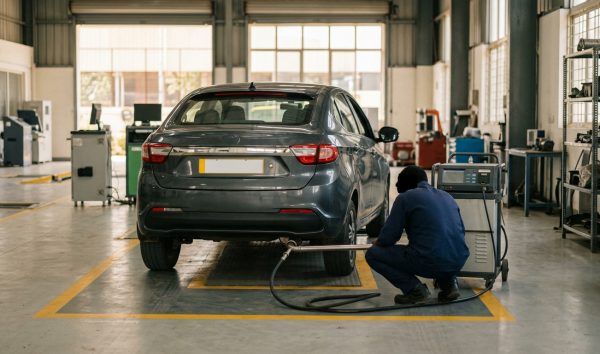
Before you take your vehicle to the track, make sure its paperwork is fully updated. Verify your registration papers through an online RC details search, ensure your motor insurance is active, and carry an authentic pollution under control slip. If testing your personal car or two-wheeler, affix the mandatory red "L" plate on both the front and rear of the vehicle.
Anti-Middleman Checklist: Avoid Scams and Common Mistakes
The centralized transport network was engineered specifically to protect citizens from touts. Keeping a few essential rules in mind guarantees a smooth application experience:
- Verify government domain: Always confirm the address bar reads .gov.in (such as sarathi.parivahan.gov.in). Avoid private platforms posing as government agencies that charge convenience fees for standard forms.
- Match personal records: Ensure your name, father's name, and date of birth match identically across your Aadhaar card and educational certificates. Data mismatches cause instant rejection during automated e-KYC verification.
- Prepare for proctored home tests: When taking the online learner licence theory exam from home, maintain clear lighting. The facial recognition software will automatically disqualify your attempt if multiple faces appear or if you switch computer tabs.
- Carry required originals: On your permanent driving test appointment day, carry your physical Learner's Licence printout, Form 2, the slot booking confirmation slip, and original government identification.
Once you clear your practical driving test, track the issuance progress and verify when your permanent credential gets added to the central registry by using our tool to check your driving licence status online.
Conclusion
Using sarathi parivahan empowers vehicle owners to take complete control of their licensing needs, avoiding unnecessary expenses and middlemen. Whether you are scheduling a driving competence test, renewing an existing licence, or updating your address via Aadhaar e-KYC, every statutory service is available through your computer or smartphone.
Take a few minutes to organize your documents, confirm your eligibility timelines, and finish your application directly on the official portal today.