To complete your learning licence apply online process, visit the official Sarathi Parivahan portal, verify your identity using Aadhaar e-KYC, pay the statutory fee, watch the road safety tutorial, and take the faceless screening test directly from home. If you are also purchasing a vehicle or checking vehicle records, you can check RC details to verify ownership data before hitting the road.
Key Takeaways
- Aadhaar e-KYC enables a 100% faceless application without visiting an RTO.
- Standard statutory fees start at ₹200 for a single vehicle category.
- The online test requires scoring at least 60% under webcam AI proctoring.
- A Learner's Licence (Form 3) is valid for 6 months across India.
- You can apply for a permanent driving licence 30 days after issuance.
| Feature | Aadhaar Faceless Route | Non-Aadhaar Route |
|---|
| RTO Physical Visit | Not required | Mandatory for biometrics & test |
| Identity Verification | Instant UIDAI OTP | Physical document verification |
| Test Mode | STALL online test from home | Offline terminal at designated RTO |
| Average Total Fee | ₹200 (Single) / ₹350 (Double) | ₹200 (Single) / ₹350 (Double) |
| Form 3 Issuance | Instant digital download | Printed at RTO or portal download |
| Validity Period | 6 months (180 days) | 6 months (180 days) |
The Ministry of Road Transport and Highways (MoRTH) introduced contactless transport services to eliminate long queues and physical counter transactions across Regional Transport Offices. Through Gazette Notification G.S.R. 138(E) dated 3 March 2021, the central government notified 18 citizen-centric services via voluntary Aadhaar authentication, launching the contactless Learner's Licence workflow.
This framework was later expanded through Gazette Notification S.O. 4353(E) on 16 September 2022 to encompass 58 citizen-centric services. Under this system, the Sarathi portal verifies an applicant's demographic profile—including full name, date of birth, photo, guardian details, and residential address—directly against UIDAI records.
As of October 2026, most states across India operate under Sarathi 4.0, allowing eligible citizens to bypass physical RTO visits completely. Applicants can take the Screening Test for All Learners (STALL) from any private space equipped with an internet-connected computer or smartphone.
Aadhaar-based contactless services are entirely voluntary, but choosing the non-Aadhaar track requires you to physically visit your local RTO for biometrics and document verification.
Eligibility Criteria and Minimum Age Limits
Before initiating the parivahan sewa learning licence workflow, applicants must ensure they meet the statutory age thresholds and medical standards outlined under the Central Motor Vehicles Rules (CMVR), 1989.
Age Requirements by Vehicle Class
Indian law categorises vehicle eligibility based on age and engine displacement. Applying under the wrong category will result in immediate application rejection.
- 16 Years: Motorcycles without gear or mopeds with engine capacity not exceeding 50cc. This category requires explicit parental or guardian consent submitted through Form 2.
- 18 Years: Light Motor Vehicles (LMV, covering private motorcars) and Motorcycles with Gear (MCWG).
- 20 Years: Transport and commercial vehicles. Applicants must have held an LMV licence for at least one full year and complete physical processing at the RTO.
Every applicant must demonstrate medical fitness to operate a vehicle safely. The Sarathi platform enforces two separate medical fitness routes depending on applicant age and licence class.
- Form 1 (Self-Declaration of Physical Fitness): Required for non-transport applicants under 40 years of age. This declaration is filled out digitally on the portal through a series of yes-or-no health questions.
- Form 1A (Medical Certificate): Mandatory for all applicants aged 40 years and older, as well as anyone applying for transport vehicle categories. Form 1A must be signed and certified by a registered medical practitioner (MBBS doctor).
| Vehicle Category | Abbreviation | Minimum Age | Medical Form |
|---|
| Motorcycle without Gear (≤50cc) | MCWOG | 16 Years | Form 1 (with guardian consent) |
| Motorcycle with Gear | MCWG | 18 Years | Form 1 (Form 1A if 40+) |
| Light Motor Vehicle (Private Car) | LMV | 18 Years | Form 1 (Form 1A if 40+) |
| Commercial / Transport Vehicle | TRANS | 20 Years | Form 1A (Mandatory) |
Documents Required for Learner Licence Online
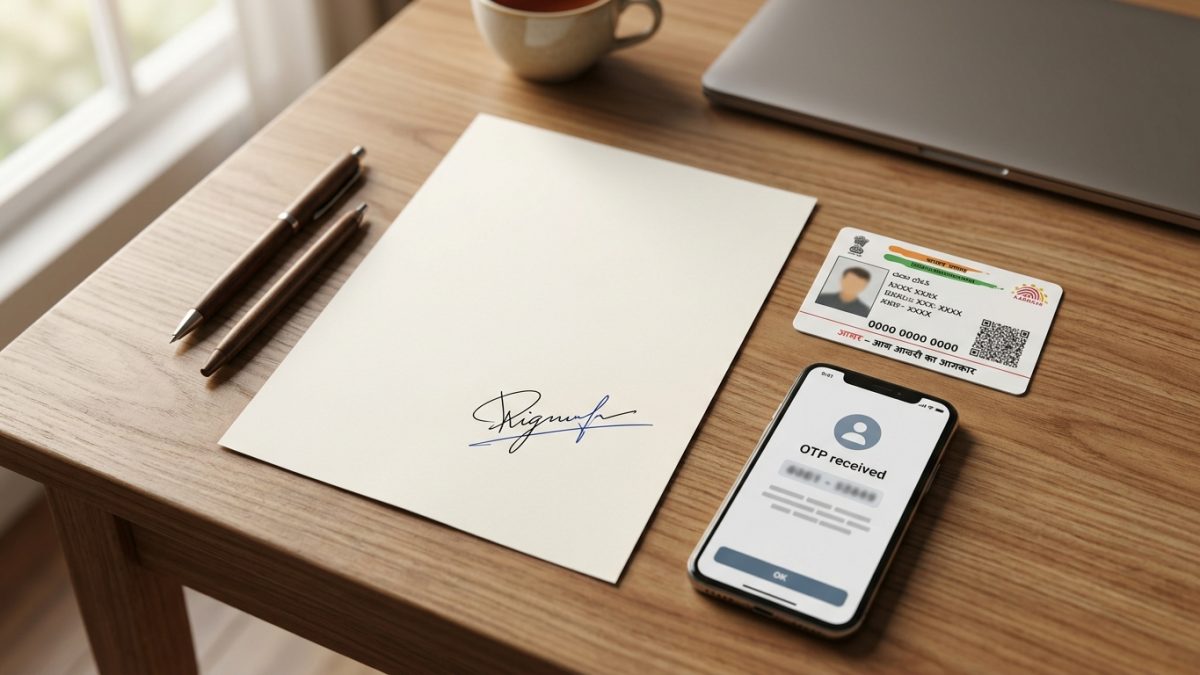
Knowing the exact documents required for learner licence processing helps prevent portal rejection during initial data verification. Document requirements depend directly on whether you authenticate via Aadhaar.
Aadhaar-Based Faceless Route
The Aadhaar e-KYC flow is completely paperless. Because your identity, age, and address are verified through UIDAI servers, you do not need to upload separate identity or residential documents.
- Aadhaar Number or Virtual ID (VID): Linked to an active mobile phone number to receive UIDAI one-time passwords (OTP).
- Scanned Signature: Image file formatted in JPEG or JPG, sized strictly between 10 KB and 20 KB. This file is digitally stamped onto your generated Form 3.
- Form 1 Self-Declaration: Completed directly on screen during the online application steps.
- Medical Certificate (Form 1A): Scanned PDF or JPG copy, only required if you are 40 years of age or older.
Non-Aadhaar Route (Physical RTO Processing)
If your mobile number is not linked to your Aadhaar card or you choose not to share Aadhaar details, you must scan and upload physical proofs, followed by booking an in-person RTO appointment.
- Proof of Age: Class 10 school transfer certificate, birth certificate, PAN card, or Indian passport.
- Proof of Address: Voter ID card, passport, registered rent agreement, or recent utility bill.
- Passport Photographs: Recent colour passport photos (35mm x 45mm).
- Physical Signatures & Forms: Signed physical copies of your application receipt and Form 1 or Form 1A.
Your Aadhaar photograph is automatically transferred onto your learner's licence. You only need to upload an image of your signature.
Learning Licence Fees Parivahan Breakdown
Statutory fees for driving permits are governed by Rule 32 of the Central Motor Vehicles Rules, 1989. While central rules fix the baseline rates, states may add nominal local portal or e-governance service fees.
Central Fee Schedule (Rule 32 CMVR)
The standard central rates establish clear statutory fee components for every learner's permit application submitted across the country:
- Issue of Learner's Licence (Form 3): ₹150 for each distinct vehicle category applied for.
- Learner's Licence Test Fee: ₹50 (payable per test attempt).
- Repeat Test Fee: ₹50 for re-appearing after a failed attempt.
| Application Category | Licence Fee (Form 3) | Online Test Fee | Total Standard Fee |
|---|
| Single Class (e.g., MCWG only) | ₹150 | ₹50 | ₹200 |
| Single Class (e.g., LMV only) | ₹150 | ₹50 | ₹200 |
| Two Classes (MCWG + LMV) | ₹300 (₹150 x 2) | ₹50 | ₹350 |
| Retest Fee (per attempt) | N/A | ₹50 | ₹50 |
As of October 2026, some states levy marginal e-governance or smart-portal user cesses. For example, portal fees in Maharashtra, Gujarat, and Karnataka add between ₹16 and ₹50 to the final transaction total. Confirm the exact breakdown on your state's payment screen before completing the transaction.
How to Apply Learning Licence Online: Step-by-Step Guide

Following the correct sequence on the official portal ensures quick approval without administrative delays. Complete your how to apply learning licence online process using these verified steps.
- Access the official portal: Open your web browser and navigate to the official Sarathi Parivahan portal. Select the state where you legally reside from the dropdown menu.
- Select the licence service: On the state transport dashboard, click on "Apply for Learner Licence" from the primary service navigation bar. Read the application instructions and click "Continue".
- Choose authentication method: Select "Applicant holds Aadhaar Card" to activate the contactless route. If you choose the non-Aadhaar option, you must book an RTO appointment and attend in person.
- Complete Aadhaar e-KYC: Enter your 12-digit Aadhaar number or 16-digit Virtual ID (VID). Agree to UIDAI terms, click "Generate OTP", enter the 6-digit code received on your Aadhaar-linked mobile phone, and click "Authenticate".
- Verify personal details: The portal will populate your name, date of birth, photo, gender, and address directly from UIDAI records. Select your local RTO jurisdiction based on your residential address PIN code.
- Select vehicle categories: Choose your required vehicle types, such as Motorcycle with Gear (MCWG), Light Motor Vehicle (LMV), or both. Indicate whether you wish to register as an organ donor.
- Submit Form 1 medical declaration: Click on the Form 1 tab and answer the fitness self-declaration questions truthfully regarding vision, hearing, and general physical health.
- Upload scanned signature: Upload a clear image of your signature cropped between 10 KB and 20 KB. Your photograph is automatically fetched from Aadhaar, so manual photo upload is locked.
- Pay the application fee: Proceed to the e-payment gateway. Pay the fee using UPI, net banking, or debit card. Download and save the payment receipt for your records.
- Complete the road safety tutorial: Go to the tutorial section via your application dashboard. Watch the mandatory MoRTH road safety video tutorial to completion. Once finished, submit the mobile OTP confirmation to trigger your test credentials.
Do not close or refresh the road safety video player midway. Your online examination password will not generate until the video logs 100% completion on Sarathi servers.
Learner Licence Test from Home: STALL Rules and Proctoring

Once you complete the road safety tutorial, the Ministry sends your examination credentials via SMS. The learner licence test from home runs through the Screening Test for All Learners (STALL) engine, protected by artificial intelligence proctoring.
System and Hardware Prerequisites
To ensure a smooth testing experience, prepare your hardware and surroundings before launching the test link:
- A laptop or desktop computer with an operational webcam and microphone, or a smartphone with a functional front camera and modern browser.
- A stable broadband or 4G/5G mobile data connection.
- A quiet, well-lit room with a plain background. Avoid backlighting from unshaded windows.
- No other people present in the room during testing.
Facial Liveness Authentication
When you open the online ll test sarathi parivahan URL, the proctoring engine prompts you to permit camera access. The software captures a live visual sample and cross-references it with your Aadhaar photo file. You must look directly into the camera and follow on-screen prompts, such as blinking naturally, to pass liveness detection.
The STALL engine tests foundational knowledge of the Motor Vehicles Act, road signs, right-of-way conventions, and road safety regulations.
- Question Count: 15 to 20 multiple-choice questions depending on state configurations (for example, Delhi and Uttar Pradesh use 15 questions; Karnataka and Tamil Nadu use 20 questions).
- Timer: Each question features an independent countdown timer of 30 to 60 seconds.
- Pass Threshold: Applicants must score at least 60% to pass. This requires 9 correct answers out of 15 questions, or 12 correct answers out of 20 questions.
- Language Options: Tests can be taken in English, Hindi, or the official regional language of the state.
| State Exam Format | Total Questions | Timer per Question | Passing Score (60%) |
|---|
| 15-Question Configuration (e.g., DL, UP) | 15 MCQs | 30 - 60 seconds | 9 Correct |
| 20-Question Configuration (e.g., KA, TN) | 20 MCQs | 30 - 60 seconds | 12 Correct |
Common Problems, Disqualifications, and Retests
While the online test platform simplifies licensing, technical or procedural slip-ups can disrupt your application.
Test SMS Password Not Received
If your test password fails to arrive within two hours of fee payment, check your road safety tutorial status. Navigate to the Sarathi dashboard, enter your application details, and verify whether the tutorial is marked as completed. If incomplete, rewatch the tutorial to the end and confirm via OTP.
Webcam Liveness Check Failures
Facial authentication fails most commonly because of poor ambient lighting, camera glare, or significant physical changes since your last Aadhaar photo update. If the facial recognition system fails three consecutive times, the portal disables online testing and prompts you to book an in-person appointment at your local RTO.
AI Proctoring Violations
The automated monitoring software immediately aborts the examination if it detects suspicious actions. Common triggers include:
- Another individual walking into the webcam frame.
- Looking away from the screen repeatedly or glancing down at a second device.
- Leaving full-screen mode, opening a new browser tab, or answering phone calls.
- Covering your face or wearing dark sunglasses during the session.
Retaking a Failed Test
If you do not achieve the 60% pass mark, your session terminates immediately. You must log back into the Sarathi portal, pay the ₹50 retest fee under the payment section, and observe the mandatory 24-hour waiting window before making another attempt.
Once you pass the STALL assessment, your digital Learner's Licence is generated automatically. Follow this process to download learning licence form 3 without waiting for physical mail delivery.
- Visit the Sarathi homepage: Go to the Sarathi Parivahan portal and select your registered state.
- Open the print menu: Navigate to the "Learner Licence" drop-down menu in the top navigation bar and select "Print Learner Licence (FORM 3)".
- Input credentials: Enter your Application Number and Date of Birth into the respective fields and click "Submit".
- Submit OTP verification: Enter the OTP sent to your Aadhaar-registered mobile phone.
- Download Form 3 PDF: Once verified, your digitally signed Learner's Licence will appear on screen. Save the PDF file to your smartphone or computer, or print a copy for your records.
You can also track your overall progress using the learner licence application status tracking tool on the Sarathi homepage by entering your application number.
Your Form 3 Learner's Licence is valid for 180 days across India. Under the Motor Vehicles Act, you must wait at least 30 days from the issue date before applying for a permanent driving licence test.
Once your 30-day waiting period concludes, you can use the Sarathi portal to schedule your practical driving test, or use our driving licence status search to monitor your permanent licence records. If you are practising in your own car or two-wheeler, ensure all vehicle papers are up to date by running a fast online RC check to verify insurance and fitness validity.
Conclusion
Completing your learning licence apply online submission through Parivahan Sewa saves time, eliminates middlemen, and lets you finish both the application and the test directly from home. Ensure your mobile number is linked to your Aadhaar, review mandatory road signs, and complete the video tutorial to secure your licence without hassle.
Once you pass your test and download Form 3, remember that your learner's permit remains valid for 180 days across India. Before taking your vehicle out for practice, double-check your vehicle records with our RC details search to ensure your registration, insurance, and emission certificates are fully compliant.