Key Takeaways
- Check application milestones directly on the Parivahan portal using your application number or vehicle number.
- Smart card dispatch occurs via India Post Speed Post with a 13-digit consignment tracking code.
- Physical delivery typically takes 15 to 30 calendar days following official RTO superintendent approval.
- Digital RCs stored inside mParivahan or DigiLocker are legally valid under Rule 139 of the CMVR.
- Re-upload deficient documents online immediately if an RTO scrutiny query stalls your file.
To perform an rc status check online, vehicle owners can visit the Ministry of Road Transport and Highways (MoRTH) Parivahan portal to inspect application approval, card printing, and postal dispatch stages. Whether you bought a new vehicle, applied for an RC transfer online, or requested an endorsement, you can verify your active status or inspect verified vehicle records using the VahanX RC search tool in seconds.
| Service Parameter | Official Details (CMVR 1989 Framework) |
|---|
| Portal Interface | Parivahan Sewa (Vahan 4.0 Citizen Services) |
| Primary Tracking Inputs | Application Number or Registration Number + Chassis Details |
| Average Approval Time | 3 to 7 working days from document scrutiny |
| Physical Card Transit | 2 to 5 business days after Speed Post dispatch |
| Statutory Smart Card Fee | ₹200 (plus ₹50 standard Speed Post postal fee) |
| Legal Digital Alternative | mParivahan and DigiLocker (Rule 139, CMVR) |
How to Complete an RC Status Check Online on Parivahan

The centralized Vahan 4.0 engine manages registration records across Indian states and Union Territories. Once a dealership or applicant submits paperwork, the portal generates an acknowledgment receipt containing an application reference code. This reference allows applicants to perform a vahan rc status online query at any time without visiting an RTO counter.
Prerequisites for Online Tracking
Before initiating the query, keep your essential paperwork ready. You can locate your registration status using two primary data sets:
- Application Number: Found on the payment acknowledgment receipt or Form 20 submission slip issued by the dealer or RTO.
- Vehicle Registration Number: Your permanent number plate sequence, combined with the last 5 alphanumeric digits of your chassis number.
- Mobile Number: The active contact number registered during the Vahan application process to receive one-time passwords (OTPs).
Step-by-Step Portal Navigation
Follow these steps to trace your parivahan vehicle registration status on the national transport registry:
- Open the official portal: Navigate to the Parivahan Sewa official portal in your browser.
- Select vehicle services: From the main navigation menu, click on Online Services and choose Vehicle Related Services.
- Select your state: Choose your vehicle registered state from the drop-down list to load the state-specific transport dashboard.
- Input your RTO or vehicle details: Choose your local transport office or enter your vehicle number, check the privacy declaration, and click Proceed.
- Open application status: On the citizen services dashboard, click the Status tab and select Know Your Application Status.
- Submit application number: Choose the option for rc status check by application number, enter the code, solve the security captcha, and click Submit.
Always verify that your mobile number is active on Vahan. Critical status alerts, deficiency notices, and India Post tracking numbers are dispatched exclusively via SMS to this contact.
Understanding RC Application Status Stages
When you conduct an rc application status review, the Parivahan portal displays a comprehensive workflow log. Each stage represents an administrative or technical gatekeeper inside the RTO back office.
| Workflow Stage | Responsible Authority | Typical Duration | Action Required |
|---|
| Application Inward | Dealer / Applicant | Immediate | Fee payment and document upload |
| Verification & Scrutiny | RTO Clerical Staff | 2 to 4 working days | Reviewing KYC, invoice, and Form 20/21 |
| Approval | Registering Authority (ARTO) | 1 to 3 working days | Statutory digital signature on registration |
| RC Print & Vendor Queue | Smart Card Printing Agency | 7 to 15 working days | Generation of microchip or QR PVC card |
| Dispatch & EMS Generation | RTO Postal Desk | 1 to 2 working days | Handover to India Post with tracking ID |
1. Application Inward and Scrutiny
At this stage, the RTO office records the file into the central database. Clerks examine physical inspection records, pollution certificates, insurance validity, and tax calculations. If any document is illegible or missing, the status changes to show a document deficiency.
2. Statutory Approval
The Assistant Regional Transport Officer (ARTO) or Registering Authority provides statutory approval. Once approved, the permanent registration number becomes active on the national Vahan database, even if the physical card has not yet been manufactured.
Historically, semiconductor shortages led to backlogs for embedded microchips. Consequently, MoRTH authorized state transport departments to print polyvinyl chloride (PVC) laminated cards featuring high-security QR codes. Depending on your state, your card will either feature an embedded electronic chip or a tamper-proof QR code linked to your digital record.
Once your file reflects the Approved status, your vehicle is officially registered. You can immediately access your digital RC on government apps before the physical card arrives.
How to Track RC Card Dispatch Status via India Post Speed Post

After card printing, the RTO dispatches the physical document to the vehicle owner residential address via India Post Speed Post. To verify transit, you must check your rc card dispatch status and extract the consignment details.
Step 1: Locate the 13-Digit Consignment Number
You can locate your tracking identifier through two channels:
- Parivahan Tracking Table: Revisit the Know Your Application Status screen. Once the final workflow step indicates Dispatched, an EMS tracking number appears in the details column (for example, EM123456789IN).
- Automated SMS: The state transport department dispatches an automated text alert containing the India Post tracking number directly to your registered mobile phone.
Step 2: Trace the Parcel on India Post
Once you possess the consignment code, complete your speed post rc tracking directly through the postal department:
- Open India Post: Visit the official India Post Track & Trace portal.
- Enter consignment number: Input the 13-character EMS identifier accurately into the search box.
- Evaluate the captcha: Solve the mathematical or alphanumeric security code shown on the screen.
- Track parcel movement: Click Track Now to review the transit log, including booking date, arrival at the national sorting hub, and current delivery status.
Speed Post packages containing vehicle registration documents require a physical signature upon delivery. Ensure someone is present at the registered address to prevent the parcel from being returned to the RTO.
Statutory Fees and Postal Charges for RC Services
The statutory fee framework for registration certificates is governed centrally by Rule 81 of the Central Motor Vehicles Rules (CMVR), 1989. While statutory fees are consistent nationwide, states may levy additional smart card administration fees or local infrastructure cess charges.
| Service Type | Government Fee (Rule 81) | Smart Card / PVC Fee | Postal Dispatch Charge |
|---|
| New Two-Wheeler Registration | ₹300 | ₹200 | ~₹50 |
| New Private Car (LMV) | ₹600 | ₹200 | ~₹50 |
| RC Ownership Transfer (Two-Wheeler) | ₹150 | ₹200 | ~₹50 |
| RC Ownership Transfer (Car) | ₹300 | ₹200 | ~₹50 |
| Duplicate RC Issuance | ₹150 (2W) / ₹300 (Car) | ₹200 | ~₹50 |
| Hypothecation Endorsement / Removal | ₹500 (2W) / ₹1,500 (Car) | N/A (Reprint extra) | ~₹50 |
As of October 2026, most states collect the ₹200 card production fee and the ₹50 postal charge upfront during initial application submission. Confirm local state-specific cess variations on your regional transport portal.
What to Do If Your RC Application Status Shows Pending at RTO
Applications can occasionally become delayed during scrutiny or approval. When a status remains frozen, it is usually caused by clerical backlog, paperwork deficiencies, or pending dealer submissions.
Identifying the Delay Cause
Examine the detailed notes inside the Parivahan tracking timeline. Common causes of delays include:
- Document Rejection: An unreadable address proof, signature mismatches on Form 29/30, or an expired motor insurance policy document.
- Inspection Backlogs: The dealership has delayed submitting the physical Form 20 inspection certificate or High Security Registration Plate (HSRP) confirmation to the registering authority.
- Address Discrepancies: Inconsistencies between uploaded KYC records and postal databases.
Actionable Steps to Resolve Inactive Files
If your application has not progressed within the standard timeline, follow these corrective procedures:
- Re-upload rejected documents: On the Parivahan dashboard, select Vehicle Related Services, navigate to Upload Document, and click Re-upload Reverted Documents. Attach clean, high-resolution scans of the requested proofs.
- Contact your automobile dealer: If your vehicle is brand new, follow up with the dealership RTO liaison executive to ensure all physical invoices and inspection sheets were delivered to the regional office.
- Submit a grievance ticket: Go to the Parivahan portal grievance section and register a formal complaint using your application number. You can also file a ticket through state citizen portals such as Jansunwai in Uttar Pradesh or Aaple Sarkar in Maharashtra.
- Visit your local transport office: If your file remains stalled past the standard Citizen Charter window (typically 15 working days), visit the ARTO office in person. Find your regional center using the VahanX RTO office directory and carry your fee receipt and original KYC proofs.
Never pay unverified agents to speed up stalled applications. Rectifying document deficiencies online or filing a formal grievance through official channels resolves most workflow delays without added expense.
Driving Legally with a Virtual RC While Waiting for the Physical Smart Card
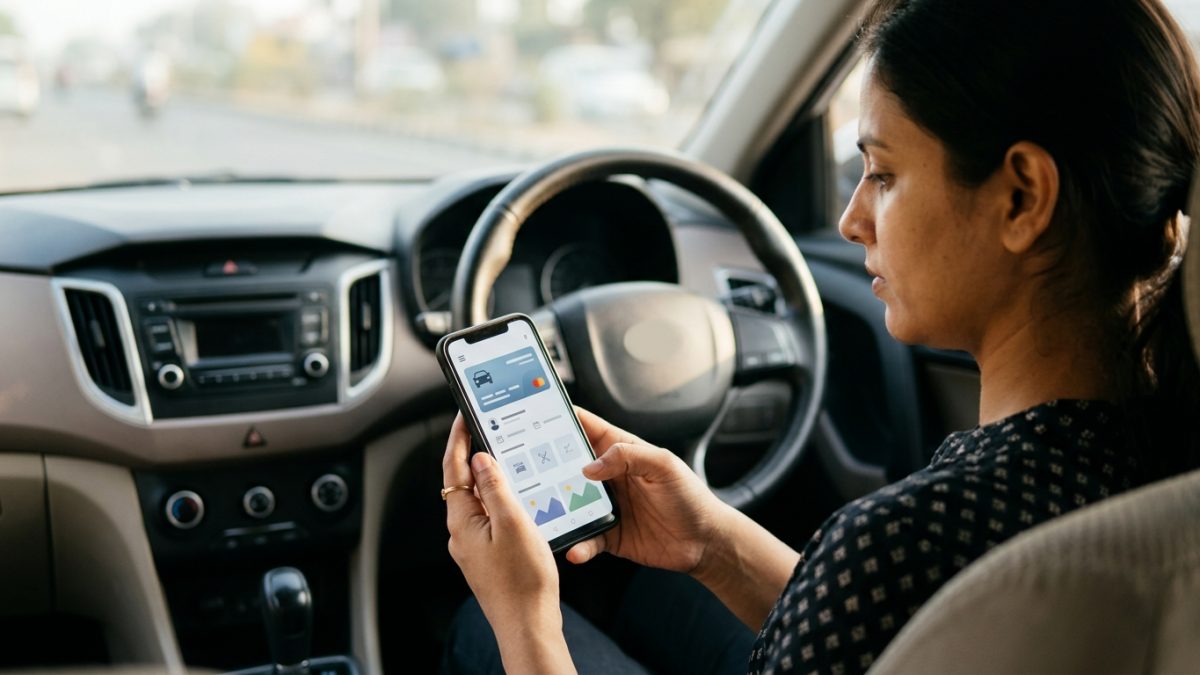
Many motorists wonder if they can legally drive while their smart card is in the printing or transit pipeline. Indian transport law provides clear, legal alternatives for digital document presentation.
The Legal Framework for Virtual Documents
Under amended Rule 139 of the Central Motor Vehicles Rules (CMVR), 1989 (effective since November 2018), physical carriage of registration certificates is no longer mandatory. This provision is reinforced by Section 4 of the Information Technology Act, 2000, which grants electronic records equal legal recognition to physical paper documents.
Furthermore, MoRTH enforcement circular RT-11036/64/2017-MVL instructs traffic police and transport enforcement authorities across all states to accept digital certificates presented via designated mobile platforms. For complete setup steps, consult our detailed mParivahan virtual RC setup guide.
Valid vs. Invalid Digital Presentation
To avoid traffic citations, you must understand what traffic enforcement officers can legally accept during a roadside inspection:
- Legally Valid: Digital registration certificates retrieved directly inside the official mParivahan mobile app or stored in a verified DigiLocker account. Both applications feature a dynamic, cryptographically verifiable QR code that traffic police scan via the national e-Challan enforcement terminal.
- Strictly Invalid: Screenshots, camera gallery images, photocopies, or non-verified PDF files saved on your mobile device. Presenting an unauthorized image can result in traffic fines under Section 192 or Section 177 of the Motor Vehicles Act.
If you face an unexpected traffic inspection, you can easily review existing enforcement actions or verify pending citations using the VahanX challan check portal.
State-Specific Variations in RC Processing and Dispatch
While Vahan 4.0 provides a unified central database, state transport departments handle smart card printing, portal workflows, and postal deliveries under distinct local rules.
| State / Region | Operating Portal Architecture | Card Production Format | Key Dispatch Procedure |
|---|
| Delhi | Parivahan (Faceless Services) | QR PVC Card / Digital First | Strict Aadhaar-address matching; undelivered cards return quickly to the RTO. |
| Maharashtra | Parivahan (Aaple Sarkar Integrated) | QR PVC and Smart Card Dual | QR cards widely used to eliminate printing vendor queues. |
| Karnataka | Parivahan (Bangalore / State RTOs) | High-Security QR PVC Card | Transitioned away from chip-only cards to streamline postal delivery. |
| Uttar Pradesh | Parivahan (Centralized Printing) | Automated Regional Hub Cards | Returned Speed Post parcels must be collected personally from the nodal RTO. |
| Telangana & Andhra Pradesh | TS Transport & AP e-Pragati | State-Managed Smart Cards | Independent state portals sync records back to the national Vahan registry. |
In states like Telangana and Andhra Pradesh, initial application tracking must be carried out on their designated state transport dashboards rather than the default Parivahan screen. However, once records are formally finalized, vehicle data syncs into the national registry, making it easy to check RC status by vehicle number anywhere in India.
Conclusion
Completing an rc status check online is a straightforward process that keeps you informed at every stage of vehicle registration, approval, card printing, and postal delivery. By monitoring your application progress on Parivahan and tracking your consignment number via India Post Speed Post, you can prevent delays and resolve document deficiencies quickly.
While waiting for your physical smart card to arrive in the mail, add your digital document to mParivahan or DigiLocker to drive legally across India without fear of traffic citations. If you ever need to check updated registration records, ownership details, or insurance validity, use the VahanX vehicle search service to confirm your information anytime.