To pay challan online in India, visit the official MoRTH portal at echallan.parivahan.gov.in, select Check Challan Status, and enter your vehicle registration number with the last five digits of your chassis or engine number. Verify your pending fine through a mobile OTP, select Pay Now, and settle the penalty using UPI, net banking, or debit card. You can immediately review pending notices using VahanX challan search before processing payment.
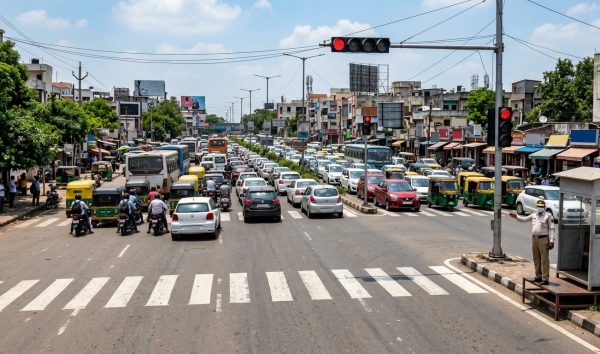
Electronic enforcement systems like automated number plate recognition (ANPR) and speed cameras log traffic violations instantly under Rule 167A of the Central Motor Vehicles Rules (CMVR). Ignoring these digital notices carries serious legal and administrative penalties across India as of October 2026.
Key Takeaways
- Settle pending notices within the statutory 60-day window to avoid court escalation.
- Enter vehicle numbers alongside the last five digits of the chassis or engine number for portal access.
- Unpaid violations trigger automatic vehicle blacklisting on the national VAHAN database.
- Download and store digital receipts immediately from the Parivahan portal as legal proof of fine settlement.
| Feature | MoRTH Parivahan Portal | Virtual Courts Portal | UPI Apps (GPay, Paytm, PhonePe) |
|---|
| Website / Access | echallan.parivahan.gov.in | vcourts.gov.in | Mobile Application Interface |
| Permitted Stages | Standard active violations | Challans marked Sent to Court | Standard state police violations |
| Payment Modes | UPI, Net Banking, Debit/Credit Card | State Cyber Treasury Gateways | UPI PIN, Linked Bank Account |
| Receipt Availability | Instant official MoRTH PDF | Digital Judicial Closure Slip | In-app transaction confirmation |
| Reconciliation Time | Instant to 24 hours | 24 to 48 hours | Instant to 48 hours |
Tip: Always keep your mobile number updated in the VAHAN database. Fines generate automated SMS alerts with direct links, reducing your risk of missing mandatory settlement deadlines.
Prerequisites to Pay Traffic Challan Online

The Ministry of Road Transport and Highways (MoRTH) operates an entirely paperless verification framework. You do not need physical challan slips or vehicle registration documents to initiate a settlement. Having your vehicle identifiers ready ensures a seamless verification experience.
- Challan Number: An 18-character alphanumeric identifier sent directly via SMS upon offense capture.
- Vehicle Registration Number (VRN): Your registration plate number, paired with the last five characters of either your engine number or chassis number.
- Driving Licence (DL) Number: Used when an on-duty officer issues a physical on-spot e-challan against your licence.
- Active Mobile Device: Necessary to receive the two-factor authentication one-time password (OTP).
| Verification Document | Where to Find It | Purpose in Online Payment |
|---|
| Challan Number | Official SMS alert or physical slip | Directly opens the specific pending violation |
| Chassis Number (Last 5) | RC Smart Card or Insurance Policy | Authenticates vehicle ownership on Parivahan |
| Engine Number (Last 5) | Vehicle RC document or invoice | Alternate vehicle authentication metric |
| Driving Licence Number | Physical DL or DigiLocker card | Retrieves personal compounded fines |
How to Pay Challan Online on the Parivahan Portal

The centralized MoRTH portal allows any motorist to complete an e challan payment online regardless of the state in which the offense occurred. Follow this step-by-step workflow to clear your dues directly through the central government system.
- Access the Official Portal: Navigate to the official website at echallan.parivahan.gov.in and select Check Challan Status from the primary menu.
- Enter Identification Details: Choose between Challan Number, Vehicle Number, or DL Number. If you select Vehicle Number, input the registration code followed by the last five digits of your chassis or engine number.
- Complete Captcha and Fetch Records: Type the visible security captcha characters accurately and click on Get Detail to view all active, pending, or settled cases.
- Review the Violation Details: Carefully check the offense location, timestamp, photographic proof, specific sections of the Motor Vehicles Act, and the penalty amount.
- Initiate Payment: Click on the Pay Now button next to the unpaid violation to launch the settlement window.
- Authenticate via Mobile OTP: Enter your working mobile number, request an OTP, and enter the six-digit code to authorize the session.
- Choose the Payment Gateway: Select the integrated government gateway, such as SBI ePay, Bharatkosh, or your respective state treasury system.
- Complete the Transaction: Choose your preferred mode—such as UPI, debit card, or net banking—and authorize the charge.
- Capture Confirmation: Stay on the page until redirected back to Parivahan. Save the unique Transaction ID displayed on the screen.
Warning: Never refresh or close your browser tab while the treasury gateway redirects back to the Parivahan portal. Interrupting the handshake creates pending verification errors.
Pay Challan Online by Vehicle Number via UPI Apps
Popular third-party platforms facilitate rapid settlement via the Bharat Bill Payment System (BBPS) or direct state police integrations. If you want to pay traffic challan online without opening a desktop browser, major UPI apps offer simple interfaces.
- Launch Your Chosen App: Open PhonePe, Google Pay, or Paytm on your smartphone.
- Navigate to Transit Payments: Tap on Bills & Recharges or Pay Bills, and select the Traffic Challan or Challan category under the transport services tab.
- Select the Relevant Authority: Pick your state traffic department from the directory, such as Delhi Traffic Police, Maharashtra Traffic Police, or Andhra Pradesh Police.
- Supply Vehicle Identifiers: Enter your full vehicle registration number or the unique challan identification code.
- Authorize the Payment: Verify the name of the vehicle owner alongside the fine breakdown, select your linked bank account, and enter your secure UPI PIN.
Keep in mind that while UPI apps clear payments immediately, state servers that operate independent legacy systems may take 24 to 48 hours to update their status on the national registry.
Virtual Court Settlement for Escalated Traffic Fines
When an offense remains unpaid beyond the standard grace period, the state transfers the case file to the judicial wing. The Parivahan status will switch from Pending to Sent to Court. At this stage, standard gateway buttons disappear from the MoRTH portal, and you must resolve the fine via the e-Courts system.
- Access the Virtual Courts System: Visit the official Department of Justice portal at vcourts.gov.in.
- Select Your State Jurisdiction: Choose the state and relevant judicial court branch, such as Delhi Traffic Notice Court or Maharashtra Virtual Court.
- Locate the Case Record: Search by entering your Mobile Number, Challan Number, or Vehicle Registration Number alongside the verification captcha.
- Examine the Magisterial Notice: The screen will display the presiding magistrate's proposed fine alongside the exact statutory infraction.
- Accept the Adjudication: Select the option stating I accept the offense and propose to pay the fine.
- Discharge the Fine: Process the required settlement via the state cyber treasury payment portal and save the generated judicial discharge order.
If you have accumulated several pending traffic fines over multiple years, you can also resolve compounded violations during a state Lok Adalat challan session at significantly reduced rates.
Echallan Payment Receipt Download: Step-by-Step Guide
Securing an official echallan payment receipt download is essential for defending against on-road duplicate checks and completing ownership transfers. A bank debit SMS is not legally acceptable proof of settlement during RTO audits or roadside inspections.
- Open the Challan Status Page: Visit the MoRTH portal at echallan.parivahan.gov.in.
- Submit Vehicle Details: Select Check Challan Status, enter your vehicle or challan details along with the captcha, and click Get Detail.
- Locate the Settled Record: Scroll across the dashboard to find the row showing Payment Status marked in green as Payment Successful or PAID.
- Open the Document: Find the Receipt column and click on the printer icon positioned in the settled row.
- Download the PDF File: A digitally authenticated MoRTH receipt will open in a new window. Click Download or Print to store the document on your device.
| Receipt Field | Legal Significance |
|---|
| Transaction ID & CIN | Confirms treasury receipt of the penalty amount |
| Challan Number | Ties the payment to the unique recorded traffic offense |
| MV Act Sections | Documents the specific statutory breaches resolved |
| Payment Timestamp | Proves compliance within statutory limitation windows |
Notice: Always keep soft copies of paid challan receipts in your smartphone or DigiLocker account to resolve on-the-spot officer queries quickly.
Strict Timelines and VAHAN Vehicle Blacklisting Rules
The Motor Vehicles (Amendment) Act and Supreme Court directives emphasize zero-tolerance enforcement for long-pending digital notices. Nationwide data indicates over ₹20,000 crore in unpaid challans, prompting transport authorities to enforce strict automated administrative blocks.
Motorists are granted a mandatory 60-day window from the date of generation to either remit payment or contest the notice. Once this window lapses, the automated engine initiates enforcement measures against the offending registration entry.
- VAHAN Database Blacklisting: Multiple unresolved notices (typically 3 to 5 violations depending on regional rules) mark the vehicle record as blacklisted.
- Blocking of RC Transfer: You cannot sell the automobile or obtain a No Objection Certificate (NOC) without clearing all outstanding dues on the system. Check your active details using our RC search tool to review current registration statuses.
- Withholding of Fitness and PUC: Automated fitness testing stations and PUC centers are blocked from issuing renewal documentation to blacklisted vehicles.
- Driving Licence Suspension: Habitual offenders risk administrative suspension of driving privileges under regional transport enforcement drives.
- Vehicle Impoundment: Enforcement officers operating ANPR patrols maintain full statutory authority under Sections 206 and 207 of the MV Act to seize blacklisted vehicles on the spot.
For a detailed breakdown of all driver rights and automated penalties, consult our comprehensive guide on traffic rules and road laws in India.
Traffic Fine Payment Online: Common Offenses and Penalty Matrix
The table below summarizes standard compounding fines for popular infractions across India under the Motor Vehicles Act as of October 2026. Note that state administrations hold legal powers to modify compounding limits within their local jurisdictions.
| Offense Description | Applicable MV Act Section | Prescribed Penalty | Administrative Action |
|---|
| Overspeeding (LMV / Cars) | Section 183 | ₹1,000 to ₹2,000 | Court referral for repeat offenses |
| Jumping Red Light | Section 184 | ₹1,000 to ₹5,000 | Licence suspension up to 3 months |
| Driving Without Seatbelt | Section 194B | ₹1,000 | Digital notice generated via camera |
| Riding Without Helmet | Section 194D | ₹1,000 | Disqualification of licence for 3 months |
| Mobile Phone Usage While Driving | Section 184 | ₹1,000 to ₹5,000 | Instant notice and magisterial summon |
| Driving Without Valid Insurance | Section 196 | ₹2,000 (1st offense) | Up to 3 months imprisonment possible |
| Driving Without Valid PUC | Section 190(2) | ₹10,000 | Court referral and immediate notice |
| Drunk Driving (DUI) | Section 185 | ₹10,000 | Non-compoundable; court hearing mandatory |
State-Specific Challan Portals and Differences
While the central MoRTH infrastructure manages records for the majority of Indian states and Union Territories, several regional traffic departments operate supplementary independent servers. Settling fines in these jurisdictions may require accessing dedicated regional systems.
| State / City | Primary Online Portal | Key Operating Rules |
|---|
| Delhi NCT | delhitrafficpolice.nic.in & vcourts.gov.in | Early transfer to Virtual Court Notice Branch after 45 days |
| Karnataka (Bengaluru) | karnatakaone.gov.in | Directly linked with the Sarathi point-deduction database |
| Telangana | echallan.tspolice.gov.in | Managed via state police servers; updates centrally in 48 hours |
| Maharashtra (Mumbai) | mahatrafficticket.gov.in | Integrated with highway cameras and city traffic hubs |
| Tamil Nadu & Kerala | echallan.parivahan.gov.in | Completely integrated with national Parivahan and Virtual Courts |
Troubleshooting: Money Deducted but Challan Pending
A frequent complication occurs when money is deducted from your bank account or UPI wallet, but the Parivahan portal continues to mark the fine as Pending. This situation stems from gateway reconciliation lags rather than a lost payment.
Government treasury nodes require direct confirmation handshakes from banking servers. When high traffic causes timeouts, the transaction is temporarily held in an unverified state.
- Do Not Pay Twice: Never initiate an immediate second payment for the same offense, as automated refunds require manual intervention.
- Trigger Status Check: Return to the Check Challan Status page on the Parivahan portal after two hours and submit your details to trigger a re-verification request.
- Check Pending Transactions: Use the Check Pending Transaction tab on the portal navigation bar to ping the payment aggregator.
- Wait 24 to 72 Hours: Treasury reconciliation routinely resolves lingering transactions within two to three business days, updating the status to Paid.
- Automated Reversal Window: If the gateway fails to deliver funds to the state treasury, the money reverses back to your original source account within 5 to 7 business days.
Conclusion
Taking timely steps to pay challan online safeguards you against steep magisterial fines, vehicle blacklisting, and administrative complications during RTO processes. Use VahanX challan search today to audit your registration status, verify active notices, and settle pending liabilities before deadlines expire.