To dispute traffic challan online, visit the official Parivahan grievance portal (echallan.parivahan.gov.in/gsticket/), select Raise Grievance, authenticate via OTP, and select your specific issue category. Upload clear photographic proof or travel records within 45 days of issuance to cancel the incorrect penalty without visiting an RTO or appearing in court.
Before filing an objection, you should always check your e-challan status to verify the photographic evidence, issuing branch, and statutory violation code. Immediate action is critical to prevent automatic blacklisting of your vehicle records on national databases.
Key Takeaways
- Contest incorrect fines within 45 days to avoid deemed acceptance and RTO service locks.
- File complaints directly on the central Parivahan Grievance redressal system using OTP verification.
- Never pay an incorrect fine under protest; payment is legally deemed an admission of guilt.
- Keep digital alibis ready, including FASTag logs, dashcam files, and vehicle registration certificates.
- Delhi, Maharashtra, and Karnataka operate dedicated regional portals alongside central transport systems.
| Feature | Parivahan Grievance Portal | Virtual Court Redressal |
|---|
| Website Portal | echallan.parivahan.gov.in/gsticket/ | vcourts.gov.in/virtualcourt/ |
| Official Deadline | Within 45 days of issue | Before regular court summons |
| Processing Fee | Nil (Free to submit) | Nil (Legal costs vary if contested in court) |
| Primary Proof Needed | Vehicle photos, FASTag logs, RC extract | Legal alibi, FIR, vehicle documents |
| Applicable Disputes | ANPR camera errors, duplicate fines | Department-forwarded contested fines |
Why Disputing Traffic Challan Online Within 45 Days Is Critical
Under the Ministry of Road Transport and Highways (MoRTH) compliance framework, an electronic traffic notice requires prompt settlement. A vehicle owner must either pay the compound fine or submit a formal grievance with supporting documentary evidence within 45 days of receiving the notice.
If you fail to submit a wrong challan complaint online within this 45-day window, the violation is legally classified as deemed accepted. Once accepted, the fine becomes a formal liability that cannot be dismissed through administrative complaint desks.
Warning: Ignoring a challan past the 45-day deadline triggers an automatic "Not to Be Transacted" blacklist flag on Vahan and Sarathi databases.
When an unhonoured notice passes the statutory cutoff, the central transport databases lock your vehicle profile. As outlined under national e-challan payment rules and penalties, these automated locks block the following citizen services:
- Issuance and renewal of Pollution Under Control (PUC) certificates.
- Registration Certificate (RC) renewals, duplicates, and hypothecation terminations.
- Ownership transfers using Form 29 and Form 30, along with interstate NOC issuances.
- Commercial vehicle fitness certificate testing and route permit approvals.
- Driving licence renewals and hazardous or commercial vehicle category endorsements.
Furthermore, under Supreme Court directives issued by the bench of Justices J.B. Pardiwala and K.V. Viswanathan as of October 2026, state authorities must enforce mandatory RTO service freezes. Enforcement agencies are also mandated to carry out random roadside inspections and vehicle impoundments for vehicles operating with chronic, unhonoured traffic notices.
Common Triggers: ANPR Camera Glitches and Wrong Number Plates
Automated traffic enforcement depends on high-speed Automated Number Plate Recognition (ANPR) systems and AI-based optical character recognition (OCR). While these automated systems accelerate enforcement, optical glitches generate thousands of false penalties weekly.
| Error Category | Typical Trigger Cause | Resolution Approach |
|---|
| OCR Optical Confusion | Misreading 8 as 0, 1 as 7, or D as 0 | Submit clear photos of your HSRP plate |
| Mismatched Vehicle Class | Two-wheeler helmet fine on a car | Submit RC verifying vehicle classification |
| Duplicate Penalties | System fires identical challans twice | Submit matching timestamps for cancellation |
| Cloned or Tampered Plate | Third-party vehicle using fake plate | File police complaint (FIR) and submit copy |
Optical confusion happens frequently under low-light conditions, lens distortion, or high-speed glare. If a camera captures an alphanumeric character incorrectly, the system automatically bills the innocent registered owner whose plate matches the misread text.
Another common operational defect is the issuance of a wrong vehicle number challan complaint involving mismatched vehicle classes. Many car owners receive penalties for helmetless riding, while commercial truck violations occasionally land on two-wheelers.
You may also suffer from duplicate penalties caused by software sync delays. If an ANPR camera logs an incident and sends multiple notices at the exact same second, you are entitled to have the duplicate charges struck off.
Step-by-Step Guide to Dispute Traffic Challan Online on Parivahan
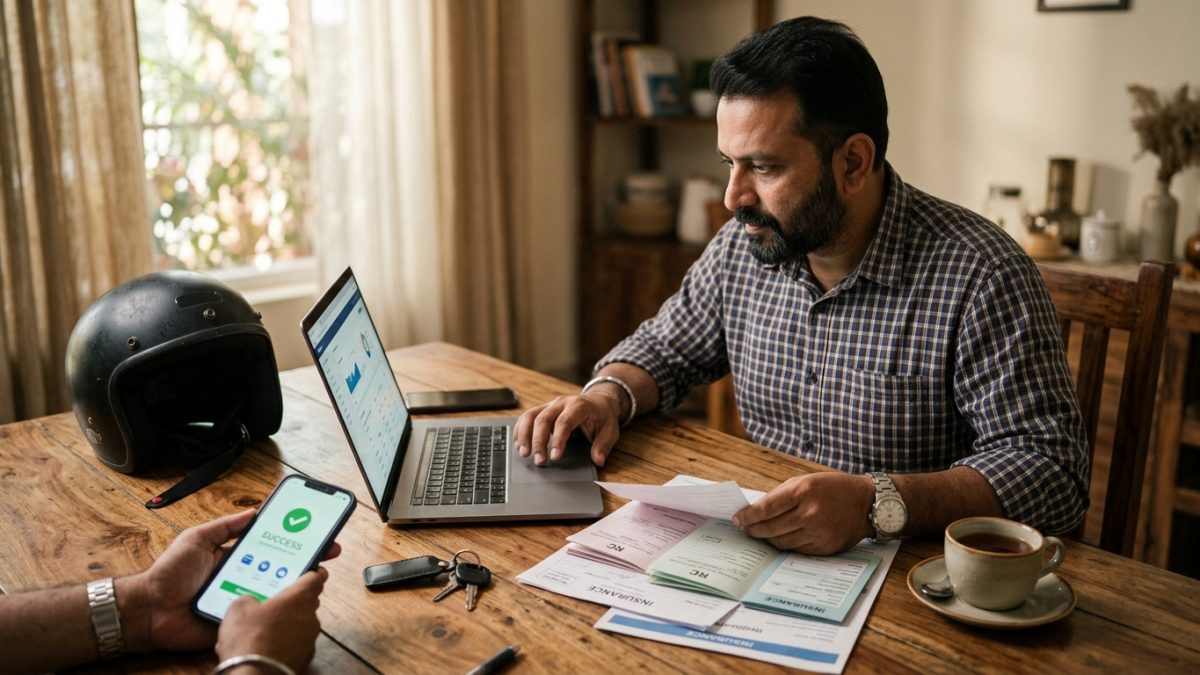
If you need to know how to cancel wrong challan online without making personal visits to enforcement offices, use the central Ministry grievance portal. Follow these sequential steps to lodge your grievance on the Parivahan portal:
- Access the official portal: Open your web browser and navigate directly to https://echallan.parivahan.gov.in/gsticket/. You can also visit echallan.parivahan.gov.in and select the Grievance option from the top navigation bar.
- Enter violation details: Type your Challan Number accurately into the verification field and click the Raise Grievance button.
- Authenticate using OTP: Complete the security step by choosing either Mobile OTP sent to your RTO-registered contact number, or Aadhaar OTP via e-KYC consent.
- Verify complainant records: Check your auto-populated profile data, including Complainant Name, Contact Number, Email Address, Vehicle Registration Number, State, City, and Incident Location.
- Select the challan issue category: Open the official dropdown menu and pick the option matching your exact scenario.
- Draft a factual summary: In the Describe Your Issue text box, explain the error concisely. Keep your statement within the strict 500-character limit.
- Attach supporting documentation: Upload supporting evidence in .jpeg, .jpg, or .png formats.
- Submit and store ticket: Complete the Captcha security code, click Submit, and record the unique Grievance Ticket Number displayed on the confirmation screen.
Tip: Keep your grievance description strictly factual. Clearly state your car's make, model, and physical location during the alleged infraction.
When you complete the echallan parivahan grievance raise workflow, make sure you choose the most accurate dropdown option from the portal list:
- 2 Wheeler Challan On 4 Wheeler
- 4 Wheeler Challan On 2 Wheeler
- Duplicate Number Plate
- Wrong Vehicle Number Entered By Officer
- Wrong Evidence Captured
- Vehicle Number Not Visible
- Violation Not Clear
- Evidence Not Available
- Multiple Challans On Same Day Same Time
- Double Payment Done / Fees Paid But Challan Is Showing Unpaid
- Challan Paid But Pending In VAHAN Service
- eDetection Challan / Other
Essential Documents to Challenge E Challan Without Paying
To successfully challenge e challan without paying, you must upload verifiable documentary evidence that disproves the automated enforcement claim. Clear documentation enables traffic officers to process administrative cancellations quickly.
| Document Type | Legal Purpose | Accepted File Format |
|---|
| Vehicle Registration (RC) | Confirms official vehicle make, model, and class | .jpg, .jpeg, .png |
| High-Resolution Car Photos | Shows differences in paint, body shape, or plate font | .jpg, .jpeg, .png |
| FASTag Toll Statements | Provides a timestamped geographical alibi | .jpg, .jpeg, .png |
| GPS / Telematics Records | Confirms the vehicle was parked or in another district | .jpg, .jpeg, .png |
| Police FIR / NC Receipt | Required if your number plate was cloned or stolen | .jpg, .jpeg, .png |
To dispute camera challan anpr penalties effectively, contrast the enforcement camera photograph with clear images of your actual vehicle. Highlight differences such as non-matching bumper profiles, unique stickers, aftermarket wheels, or paint shades.
You can use digital extracts from online vehicle RC checks to verify that your vehicle type does not match the automated notice. For example, an RC record clearly establishes that a private hatchback cannot commit a commercial heavy-goods overloading infraction.
If you suspect someone is driving an unauthorized vehicle with duplicate plates matching your number, file a Non-Cognizable report (NC) or an FIR at your local police station. Submitting this police report protects you from legal liability for offences committed by the duplicate vehicle.
State-Specific Portals: Delhi, Maharashtra, and Karnataka Rules
While the central NextGen Parivahan engine covers most states, specific municipal jurisdictions process grievances through independent departmental systems. Submitting your dispute to the right portal prevents unnecessary processing delays.
Important: The central Parivahan gsticket portal does not resolve Delhi Traffic Police challans directly and will redirect you to the Delhi Police grievance desk.
To contest traffic challan online india across various regional systems, use the appropriate jurisdictional platform:
- Delhi NCT: Delhi operates an independent portal at traffic.delhipolice.gov.in. Navigate to Citizen Services and select Raise Complaint. You can also email grievance.traffic@delhipolice.gov.in or call 011-25844444 / 1095.
- Maharashtra: Handled statewide through the MahaTraffic portal at mahatrafficechallan.gov.in, the MahaTraffic mobile application, or via email at helpdesk@mahatrafficechallan.gov.in.
- Karnataka (Bengaluru): Contested through the central Parivahan portal, Bangalore Traffic Police (BTP) ASTra grievance desk, or physical Karnataka One assistance centres.
- Uttar Pradesh: Operates through the central Parivahan system alongside the UP Traffic Police grievance portal and official social support channels (@uptrafficpolice).
- NextGen Central Engine: Parivahan processes disputes directly for Assam, Bihar, Chandigarh, Chhattisgarh, Goa, Haryana, Himachal Pradesh, Jammu & Kashmir, Jharkhand, Madhya Pradesh, Punjab, Rajasthan, Tamil Nadu, Uttarakhand, West Bengal, and other participating states.
Escalating Disputes to Virtual Courts (vcourts.gov.in)
If your administrative grievance is rejected or the reviewing officer fails to cancel the notice before statutory deadlines lapse, the fine transfers to the judicial system. At this stage, unresolved notices are remitted to the state Virtual Court system.
Virtual Courts operate under the guidance of the eCourts project at https://vcourts.gov.in/virtualcourt/. This platform allows citizens to adjudicate summary traffic cases without visiting a physical courtroom.
- Locate your case record: Open vcourts.gov.in, choose your respective State and Department Court, and search using your Challan Number, Vehicle Registration, or Mobile Number.
- Evaluate your legal options: The digital summary bench presents two options: Pay Fine (pleading guilty to extinguish the case) or I wish to contest the case / Request to Contest.
- Opt to contest: Click Contest Case to formally deny the offence. Authenticate your decision via the mobile OTP sent to your registered number.
- Receive summons assignment: Once you submit the contest request, the virtual bench transfers the dispute to the jurisdictional Metropolitan or Judicial Magistrate court.
- Obtain the hearing schedule: Download the generated transfer sheet, which specifies the regular court branch, assigned case number, and initial physical appearance date.
If you want to understand how court benches evaluate contested automated evidence, consult our complete guide on virtual court challan checks and procedures. Once a matter is referred to a regular magistrate court, you or your appointed advocate must appear in person to present your defense.
Parivahan Challan Grievance Status Check and Next Steps
After filing your dispute, you must monitor the portal to verify that the traffic branch processes the cancellation before Vahan database freezes take effect. Running a regular parivahan challan grievance status check ensures you stay updated on your case.
- Navigate back to the official grievance hub at https://echallan.parivahan.gov.in/gsticket/.
- Click the Ticket Status tab positioned next to the Raise Grievance option.
- Enter your registered Grievance Ticket Number or Challan Number along with the Captcha code.
- Click Check Status to view the latest administrative updates and comments.
The status dashboard will return one of three primary outcomes: Under Review (evidence being assessed by the traffic branch), Resolved in Favour of Complainant (the challan is voided and removed from Vahan), or Rejected (the reviewing authority upheld the penalty).
Beware of fraudulent phishing messages sent via SMS or WhatsApp regarding pending traffic violations. Scammers often circulate messages claiming your vehicle is facing imminent impoundment and instruct you to download an .apk file. Official enforcement agencies only communicate through authentic government domains (.gov.in or .nic.in) and will never instruct motorists to install third-party applications.
Never attempt to pay a disputed fine with the intention of claiming a refund later. Under Indian transport law, paying a compound traffic penalty is considered a legal admission of guilt, making monetary refunds almost impossible to obtain through transport departments.
To protect yourself against surprise penalties and blacklisting, periodically run a quick e-challan search by vehicle number. Routine checks help you spot mistaken ANPR fines early and dispute them well within the statutory 45-day window.
Conclusion
Knowing how to dispute traffic challan online protects you from paying for violations you never committed, while shielding your vehicle from restrictive RTO transaction freezes. As automated ANPR cameras become standard across Indian roadways, reviewing photographic evidence and filing grievances on the Parivahan portal within 45 days is essential for every vehicle owner.
If you have recently noticed an unfamiliar fine on your vehicle record, check your details on the official grievance portal immediately, assemble your alibi documents, and file an administrative objection before your record is transferred to court.