Key Takeaways
- Hypothecation removal updates your RC record to prove complete, unencumbered vehicle ownership.
- The base statutory cancellation charge is ₹100 under Rule 81 of the Central Motor Vehicles Rules.
- Bank loan NOC certificates remain valid for only 90 days from the date of issue.
- MoRTH began rolling out automated backend loan terminations via RBI ULI and Vahan on March 1, 2026.
- Faceless RTO jurisdictions allow complete Aadhaar e-KYC submissions without visiting an office in person.
Hypothecation removal online is the official process of deleting your bank or financier's lien endorsement from your vehicle's Registration Certificate (RC) after repaying your vehicle loan. Once your loan is closed, you can initiate this termination on the official Parivahan portal using Form 35 and your bank No Objection Certificate (NOC) to secure full, clear ownership.
Before initiating your application, perform a quick RC details and owner check to confirm that your vehicle credentials, chassis number, and active financier details match the records held by your lending institution.
| Feature | Details |
|---|
| Primary Statutory Law | Section 51 of the Motor Vehicles Act, 1988 & CMVR Rule 61 |
| Statutory Base Fee | ₹100 (Central CMVR Rule 81, Entry 10) |
| Total Typical Online Fees | ₹150 to ₹450 (includes postal and smart card charges where applicable) |
| Official Portal | parivahan.gov.in (Vahan Citizen Services) |
| Standard Processing Time | 7 to 30 working days depending on state faceless integration |
Understanding Hypothecation and Legal Provisions
When you purchase a two-wheeler or car through financing, the lending bank or Non-Banking Financial Company (NBFC) holds a legal claim over the asset. Under Section 51 of the Motor Vehicles Act, 1988, this arrangement is endorsed onto your vehicle's registration certificate as a hire-purchase, lease, or hypothecation agreement. The financier's name remains visible on the document until it is formally cancelled.
Rule 61 of the Central Motor Vehicles Rules (CMVR), 1989 governs the entry and cancellation of such agreements. Form 35 serves as the statutory notice of termination. Clearing your final EMI or pre-closing your loan does not automatically remove the lender's name from your RTO records unless your lender is integrated into the government's direct digital pipeline.
A vehicle with an active hypothecation endorsement on the Vahan registry cannot be sold, transferred, or scrapped without a formal discharge issued by the lender.
Completing this statutory formality ensures your registration record accurately reflects you as the sole, unencumbered owner, avoiding administrative hurdles when renewing permits, transferring ownership, or claiming major insurance settlements.
The March 2026 RBI ULI and Vahan Integration
The Ministry of Road Transport and Highways (MoRTH) initiated a nationwide automated hypothecation termination framework on March 1, 2026. This modern framework establishes a direct pipeline connecting lending institutions, the Reserve Bank of India's Unified Lending Interface (ULI), and the national VAHAN database.
Under this automated pipeline, when a borrower settles their vehicle loan in full, the integrated bank or NBFC transmits the closure record and digital clearance straight to Vahan through the ULI network. The hypothecation removal takes place automatically at the backend without requiring the vehicle owner to submit manual paperwork. Once the database updates, Vahan dispatches an automated confirmation SMS to the registered mobile number.
As of September 2026, this frictionless system is operating in its initial rollout phase, starting with one nationalized bank and five NBFCs. Additional lending institutions are scheduled to onboard sequentially. If your lender has not yet integrated into this automated clearing pipeline, you must still apply manually using the Parivahan portal or through your local jurisdictional RTO.
Eligibility Criteria for Vehicle Loan Removal from RC

Before you begin the application to remove financer name from RC records, ensure you meet the strict prerequisite criteria established by transport authorities:
- Complete Loan Repayment: The loan account must be closed entirely, either by completing the tenure or through foreclosure.
- Valid Lender NOC: You must possess an original, valid No Objection Certificate (or No Dues Certificate) issued by the financier.
- Active Motor Insurance: The vehicle must have an active motor third-party or comprehensive insurance policy recorded in the Vahan portal.
- Valid PUCC: A valid Pollution Under Control Certificate must be active and linked in the system.
- Clear Challan & Tax Status: The vehicle must have zero unresolved pending court challans or outstanding commercial road tax arrears. You can verify your fine history beforehand via our pending challan status check.
Parivahan automatically blocks hypothecation termination requests if the vehicle's insurance policy has lapsed or if unresolved challans remain on the registration record.
Applying for hp termination online parivahan requires digital scans of standard regulatory forms and proofs. Keep clear PDF copies ready before opening the application page:
- Form 35 (in duplicate): Duly filled and signed by both the registered owner and the authorized signatory of the lending bank, complete with the bank's official branch stamp. A triplicate copy is necessary if the vehicle was originally registered in a different RTO jurisdiction.
- Bank NOC / No Dues Certificate: The original certificate specifying the vehicle loan account number, chassis number, engine number, and registration mark.
- Original Registration Certificate (RC): Required for physical endorsement or card surrender in states that do not support purely digital RC replacements.
- Motor Insurance Policy: A self-attested copy of your current active vehicle insurance certificate.
- Pollution Under Control Certificate (PUCC): An active emissions test certificate.
- Proof of Identity & Address: Aadhaar card, Voter ID, or Passport of the registered owner linked to the mobile number.
- PAN Card Copy or Form 60: Self-attested tax identification document.
- Self-Addressed Stamped Envelope: Applicable in specific states where updated smart card RCs are dispatched back to the owner by India Post Speed Post.
| Document | Mandatory Format | Key Verification Point |
|---|
| Form 35 | Two signed physical copies | Must bear original bank branch seal and signatures |
| Bank NOC | Original document | Check chassis and engine numbers for absolute accuracy |
| Insurance Copy | Self-attested PDF / Hard copy | Must be active on the Vahan registry |
| Identity Proof | Aadhaar card preferred | Mobile number must match OTP authentication records |
How to Remove Hypothecation from RC Online: Step-by-Step

Follow these steps to file your Form 35 hypothecation removal on the official central government portal:
- Access the Portal: Open your browser and navigate to the official MoRTH Parivahan Sewa portal. From the navigation menu, select Online Services and click on Vehicle Related Services.
- Select State and Jurisdiction: Choose your state from the drop-down menu. Enter your vehicle registration number or select your registering authority from the list, check the privacy declaration, and click Proceed.
- Select Hypothecation Termination: On the citizen services dashboard, click on Apply for Transfer of Ownership, Change of Address, Hypothecation... and select the Hypothecation Termination (HPT) service option.
- Authenticate Vehicle Credentials: Enter the full vehicle registration number and the last 5 digits of your chassis number. Click to generate an OTP, which will be sent to the registered mobile number linked with your Aadhaar and RC records. Enter the code to authenticate.
- Verify Financer and NOC Information: The portal will display your current financier's name. Select the financier, input the termination date exactly as stated on your bank NOC, and enter any relevant NOC reference numbers.
- Pay the Statutory Charges: Check the fee calculation screen. Pay the required fees through the integrated payment gateway using UPI, Net Banking, or a Debit/Credit card. Download and save the payment receipt and the generated Form 35 printout.
- Upload Supporting Documents: Navigate to the document upload tab. Attach clear, scanned PDF files of the signed Form 35, bank NOC, active insurance copy, and PUCC.
- Final Submission: Submit the application. In faceless RTO jurisdictions (such as Delhi, Karnataka, and Maharashtra), the entire review occurs digitally via Aadhaar e-KYC. If your state or local office operates on a non-faceless model, print the application submission receipt and deliver or speed-post the complete dossier (including the original RC, original NOC, and physical Form 35) to your local RTO. You can verify their office address beforehand using the RTO office directory.
Keep a physical and digital copy of your payment receipt and generated application number safe; you will need them to track processing milestones.
Hypothecation Removal Fees and Statutory Charges
Government charges for removing hypothecation are regulated by the Central Motor Vehicles Rules, though states retain authority to levy administrative or postal overheads.
Under Rule 81 (Entry 10) of the CMVR 1989, the central statutory base fee for cancellation of an agreement of hire-purchase, lease, or hypothecation is fixed at ₹100. If an updated physical PVC smart card RC is manufactured and dispatched, an additional smart card fee of approximately ₹200 applies, subject to local state finance rules. India Post Speed Post delivery typically adds ₹30 to ₹50.
| State / Jurisdiction | Statutory Base Fee | Smart Card & Postal Surcharge | Total Typical Fees |
|---|
| Delhi | ₹0 to ₹100 | Nominal IT / postal cess | ₹100 to ₹200 |
| Uttar Pradesh | ₹100 | Postal and IT charges apply | ₹150 to ₹250 |
| Maharashtra | ₹100 | Smart card issue + postal fee | ₹250 to ₹400 |
| Karnataka | ₹100 | Smart card RC + delivery charge | ₹300 to ₹450 |
| Tamil Nadu | ₹100 | Endorsement + postal fee | ₹200 to ₹350 |
Because states exercise individual discretion under the provisos of Rule 81 to levy automation and user service fees, actual payment screens on Parivahan may display minor differences as of September 2026. Always confirm the exact calculation presented on the Parivahan payment gateway during checkout.
Deadlines, NOC Validity, and Common Pitfalls
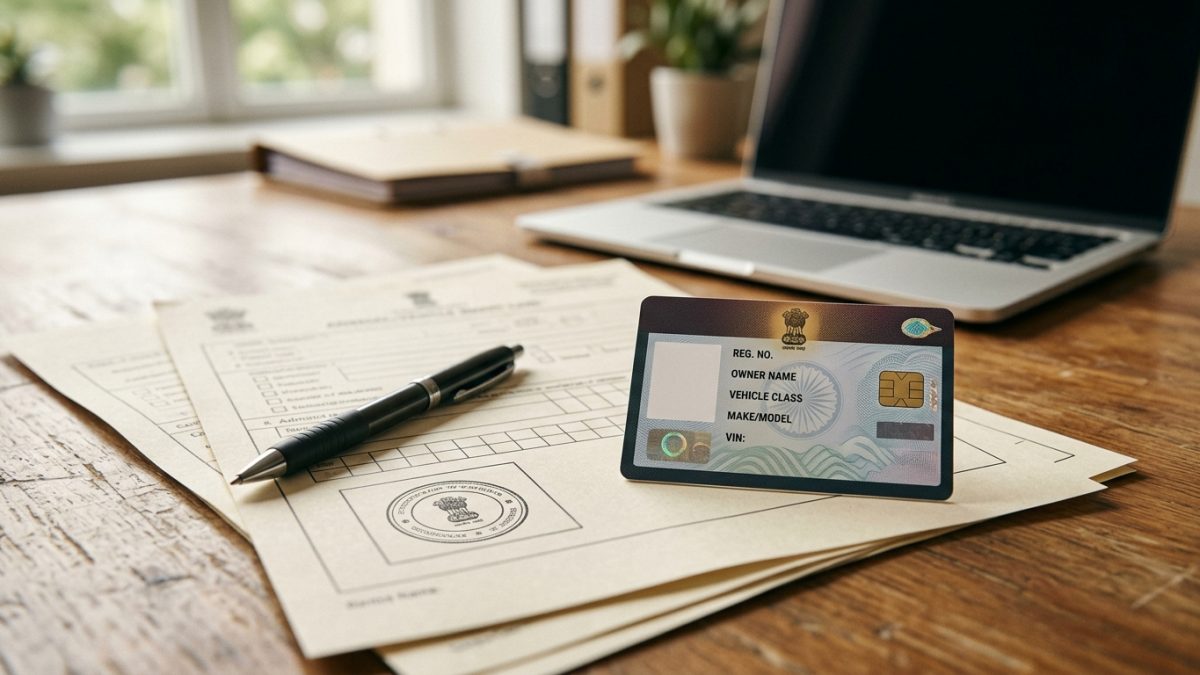
Missing statutory timelines or submitting incomplete documentation often results in application rejection. Be vigilant regarding the following standard challenges:
The 90-Day Bank NOC Validity Window
Bank loan NOCs carry a standard validity of 90 days (3 months) from their date of issuance. If you fail to file your application on Parivahan before this certificate expires, the RTO will reject your Form 35 request. You will then have to visit your bank branch to request a revalidated or duplicate NOC, which frequently involves processing fees and administrative delays.
Data Discrepancies on Certificates
Ensure that the engine number, chassis number, and registered owner name printed on the bank NOC correspond letter-for-letter with your vehicle registration certificate. Typographical errors introduced by lending institutions cause automated validation failures inside Vahan.
Even if your bank issues an electronic NOC, conventional RTO scrutiny desks require physical signatures and rubber branch stamps on both copies of Form 35. Submitting Form 35 copies that lack clear branch stamps remains a common reason for offline rejection.
Never misplace the original bank NOC. Most lenders levy duplicate issuance charges and take up to two weeks to re-issue certified clearance documents.
How to Check Hypothecation Removal Status Online
Once you have submitted your application and uploaded all documentation, you can monitor your application's progress directly through central government portals:
- Check via Parivahan: Open parivahan.gov.in, choose Vehicle Related Services, and select your state. Click on Status in the top navigation bar, then select Know Your Application Status. Input your Application Number and captcha to view current approval, inspection, or dispatch stages.
- Verify via Digital RC: Open the mParivahan mobile application or DigiLocker. Fetch an updated digital copy of your Registration Certificate. Once the application is approved, the hypothecation field will display as "None", "NA", or the financier's name will no longer appear.
- Cross-Check Records: You can also run a fresh online RC status search to confirm that the public Vahan registry reflects clear ownership before initiating any third-party vehicle sale. If you plan to sell your vehicle, you can check our guide on second-hand car checks and transfer rules.
Conclusion
Completing your hypothecation removal online ensures you possess full, legal ownership of your vehicle without lingering lender liens on the Vahan registry. Take action as soon as you receive your bank NOC to complete the Form 35 endorsement before the 90-day validity window closes.
Once your application finishes processing, verify your unencumbered record using an instant RC check online to confirm that your registration certificate is clean and ready for smooth transfers or renewals.