To track your driving licence status online, visit the official Sarathi Parivahan portal, select your state, and click on Application Status. Enter your application number and date of birth to view real-time progress across document scrutiny, driving test results, licence approval, smart card printing, and Speed Post delivery. You can also check your driving licence status directly to confirm active validity details.
Key Takeaways
- You only need your Application Number and Date of Birth to check DL status online.
- All Indian states track driving licences centrally via MoRTH’s Sarathi 4.0 portal.
- Document scrutiny and approvals take 2 to 7 working days after passing your driving test.
- Once approved, digital DLs can be pulled immediately on DigiLocker before postal card arrival.
- Postal dispatch provides a 13-digit Speed Post tracking consignment number on the portal.
| Service Parameter | Official Details (CMVR Framework) |
|---|
| Official Portal | sarathi.parivahan.gov.in |
| Information Required | Application Number, Date of Birth, Captcha |
| Average Delivery Time | 7 to 30 calendar days post driving test |
| Digital DL Legality | Valid under IT Act 2000 & CMVR Rule 139 |
| Dispatch Partner | India Post (Speed Post Tracking) |
How to Check Driving Licence Status Online on Sarathi
The Ministry of Road Transport and Highways (MoRTH) manages all licence workflows through the centralized Sarathi 4.0 database. Whether you submitted a fresh application, requested a renewal, or applied for an additional vehicle endorsement, you can verify every operational stage from home.
Following a standard parivahan driving licence status check saves you unnecessary trips to the local transport office. The process takes less than two minutes on any mobile or desktop browser.
- Open the portal: Navigate to the official Parivahan Sewa website or directly access the Sarathi Parivahan portal.
- Select your state: Choose the state or union territory where your licensing authority is situated from the drop-down menu.
- Access status checker: Click on the Application Status button situated in the top navigation bar.
- Enter application credentials: Submit your state application number alongside your date of birth in the DD-MM-YYYY format.
- Solve captcha and submit: Type the visible security characters and tap the Submit button to display the timeline.
Tip: Always enter your date of birth exactly as recorded in your initial application form, matching your 10th marksheet or Aadhaar record to avoid security verification failures.
Required Details for DL Application Status Check Online
Performing a driving licence status check with dob requires minimal paperwork. The centralized system uses unique verification markers assigned during initial registration to ensure privacy.
To perform an uninterrupted dl application status check online, keep the following identifiers accessible:
- Application Number: The 10-digit or state-formatted reference code received via SMS upon application submission.
- Date of Birth: The applicant's registered birthdate matching submitted identity credentials.
- Registered Mobile Number: Handy if two-factor authentication or OTP validation triggers during status inquiries.
- Learner's Licence Number: Useful if you need to reference test eligibility or pending class endorsements.
If you have misplaced your reference receipt, retrieve it on Sarathi under Others > Find Application Number by entering your full name and registered phone number. If you have recently relocated, make sure to find your RTO office details to ensure your application reached the correct local jurisdiction.
Decoding Common Application Stages and Pending Errors
The Sarathi portal breaks down your application journey into distinct operational checkpoints. Understanding these stage descriptions helps you take immediate corrective action if progress stops.
Application Under Scrutiny at RTO Level
This message signifies that an RTO clerk or inspector is examining your uploaded identity, age, and address proofs. Under current contactless faceless RTO services, this process occurs remotely without counter visits.
If a document scan is unreadable or blurry, the status changes to indicate a document rejection remark. You can immediately click Upload Pending Documents on the dashboard to upload clear scans under 200 KB.
Driving Test Result Pending
This status indicates that you completed your physical test on the track, but the Motor Vehicle Inspector (MVI) has not yet uploaded the assessment into the digital database. In most automated testing tracks (ADTT), this updates within 24 to 72 hours.
Pending for Approval by Licensing Authority
When this appears, you have officially passed your driving test and satisfied preliminary scrutiny checks. The file is currently waiting for the digital signature endorsement from the regional Licensing Authority (LA).
Note: As of September 2026, once the Licensing Authority digitally signs the application, your permanent DL number is generated immediately in the central registry.
Printing in Process
Your permanent licence number exists in the national database, and the application has queued for PVC smart card fabrication. Physical printing timelines depend heavily on regional smart card stock and printing vendor capacity.
| Application Stage Name | Typical Processing Window | Action Required by Applicant |
|---|
| Document Scrutiny | 2 to 5 working days | Re-upload document if rejected |
| Test Slot Booking | Instantaneous | Select available test ground date |
| Test Result Logging | 24 to 72 hours | Contact track inspector if stalled > 7 days |
| Licensing Authority Approval | 2 to 7 working days | None (system verification queue) |
| Card Printing | 3 to 10 working days | Download digital copy via DigiLocker |
| Speed Post Delivery | 2 to 7 working days | Track 13-character consignment number |
DL Application Fees and Statutory Charges
Statutory driving licence fees in India are governed under Rule 32 of the Central Motor Vehicles Rules 1989. While baseline application fees remain standardized, states may assess nominal postal surcharges or smart card processing levies.
If you need to complete a fresh licence request, review our comprehensive learner licence apply online guide to understand preliminary documentation and test booking fees.
| Service / Transaction Type | Statutory Fee (CMVR) | Applicable Surcharges | Total Estimated Outlay |
|---|
| Issue of New Driving Licence | ₹200 | None | ₹200 |
| Driving Test (Per Vehicle Class) | ₹300 | None | ₹300 (₹600 for LMV + MCWG) |
| PVC Smart Card / Form 7 | ₹200 | None | ₹200 |
| Speed Post Postal Handling | ₹50 | Varies by State (₹33–₹50) | ₹50 |
| Single Class DL Total (e.g., LMV) | ₹750 | Nominal portal charges | ~₹750 |
| Two Class DL Total (MCWG + LMV) | ₹1,050 | Nominal portal charges | ~₹1,050 |
| Driving Retest Fee (on failure) | ₹300 | Per vehicle category | ₹300 |
Warning: Never pay cash or unofficial handling charges to third-party agents at the test ground. All statutory DL fees must be settled digitally directly through the Parivahan payment gateway.
How to Check DL Dispatch Status Speed Post
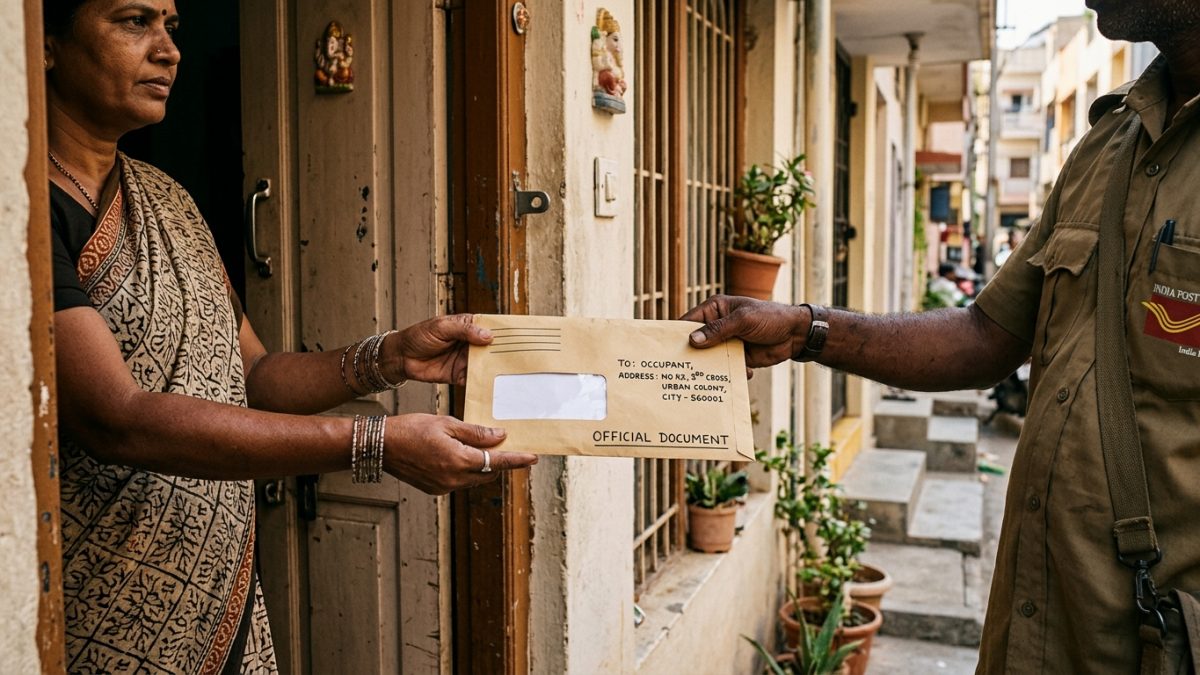
Once your physical card clears the printing line, the RTO dispatches the document via India Post. Conducting a check dl dispatch status speed post allows you to follow the package straight to your doorstep.
The portal generates an official EMS tracking ID as soon as the postal parcel manifest registers with the regional sorting hub.
- Locate consignment number: Open your approved application status page on Sarathi and scroll to the DL Dispatch Details section.
- Copy tracking number: Note down the 13-character alphanumeric identifier ending in 'IN' (for instance, EM123456789IN).
- Open postal tracker: Visit the official India Post Tracking Portal.
- Submit consignment query: Enter your tracking code, complete the mathematical captcha, and click Track Now.
- Inspect transit logs: View transit events, regional hub clearances, and your postman's scheduled delivery day.
Ensure an adult family member is available at your residential address with a valid photo identity card to accept delivery, as recorded Speed Post items mandate physical handover acknowledgement.
State-Wise Variations and Processing Bottlenecks
While the Sarathi architecture centralizes records across India, actual application processing speeds fluctuate across regional transport administrations due to operational constraints.
- Delhi: Operates a strictly contactless delivery model. Test approvals sync rapidly, and printed PVC licences are dispatched via specialized municipal logistics partnerships.
- Maharashtra and Uttar Pradesh: High transaction volumes occasionally trigger processing backlogs during the document scrutiny and PVC card printing stages.
- Karnataka and Tamil Nadu: Automated testing tracks are strictly monitored. If an applicant chose non-Aadhaar verification, mandatory physical biometrics verification at the RTO counter is required.
- Kerala: Fully computerized testing tracks feed real-time pass/fail outcomes into Sarathi, frequently updating candidate test statuses within hours of test completion.
What to Do If Your Driving Licence Status Is Stuck
If your driving licence tracking by application number reveals no movement for more than 15 working days, you do not necessarily need to lose half a day standing in an RTO line.
Follow this diagnostic escalation checklist to unblock your application file:
- Check for rejection alerts: Review the bottom log on your Sarathi status page for flagged errors regarding signature clarity or medical form mismatches.
- Upload rectified records: Use the Upload Pending Documents service to submit fresh files without paying additional review penalties.
- Submit a public grievance: Raise an official ticket under the Grievance tab on the Parivahan portal quoting your application number.
- Visit the RTO postal counter: If tracking indicates delivery failure due to an address error or door lock, your card returns to the RTO within 15 days for in-person collection.
Always verify your updated digital driving credentials using the online driving licence status tool, which mirrors the national registry directly.
Conclusion
Regularly tracking your driving licence status ensures you catch document rejections, monitor automated driving test approvals, and trace your physical smart card dispatch without delays. As soon as your application marks approval on Sarathi, you can access your legally valid digital DL immediately on DigiLocker while waiting for India Post delivery.
Ready to verify your driving privileges or check an existing document's validity? Use the VahanX check your driving licence status tool to inspect active vehicle classes and renewal dates in seconds.